
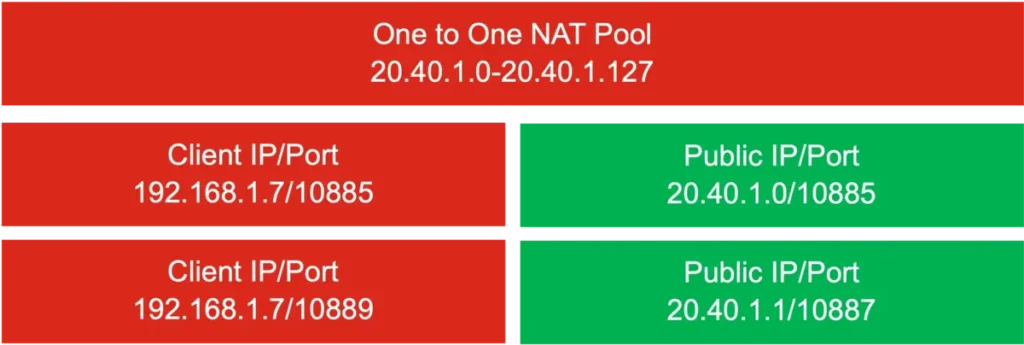
At the moment, a lot of Internet operators use the CG-NAT feature for their optical fiber networks. You may be using a Public IP or the CG-NAT function, also known as CGN or Carrier-Grade NAT. The latter provides clients with a non-routing private address for the Internet instead of a public one that can be tracked. If you are using a CG-NAT IP you won’t be able to use any other server on your home or office. The reason is that the feature requires setting your ports for a redirection.
CG-NAT implies the use of two NAT, one from your router and additional one that the operator gives you. In this article you will learn how to identify if your operator gives you a Public IP or a CG-NAT and how to work with these type of addresses.
What is CG-NAT and the differences with Public IP?
CG-NAT is not a new term. Those who work with network management have been work ing with Carrier Grade Network Address Translation for a long time. It’s a technique that allows an IP4 public IP to link with private IPv4 simoultaneously. The Internet operator can connect several users at the same time and it has advantages and cons as almost any technology.
The CG-NAT is a great tool for Internet operators to save IPv4 addresses that are already saturated. Because of Public IP exhaustion, the private IP addressing through 3G/4G and 5G is a common practice. Using tablets and Smartphones normally doesn’t require any server allocation. But the CG-NAT technology is a step forward. Using CG-NAT in optic fiber services allows for non-tracking private addressing. You won’t be able to access VPN, FTP or other servers at home.
It’s important to identify if your Internet operator gives you a Public IP or a CG-NAT. That’s the main aspect to consider if you want to use a VPN server or create a local network. It can also stop you for using NAS servers or private cloud tools like Nextcloud.
If you are given a CG-NAT address you will see a private addressing route among the range 100.64.0.0/10. Even if you open ports at the router (port-forwarding or port resending) you won’t have end-to-end connectivity at all.
The private addressing goes from 100.64.01 to 100.127.255.254 and there are 4 million IP private addresses available. However, it’s normal to set sub-networks for smaller tasks and with fewer clients that share a Public IP address.
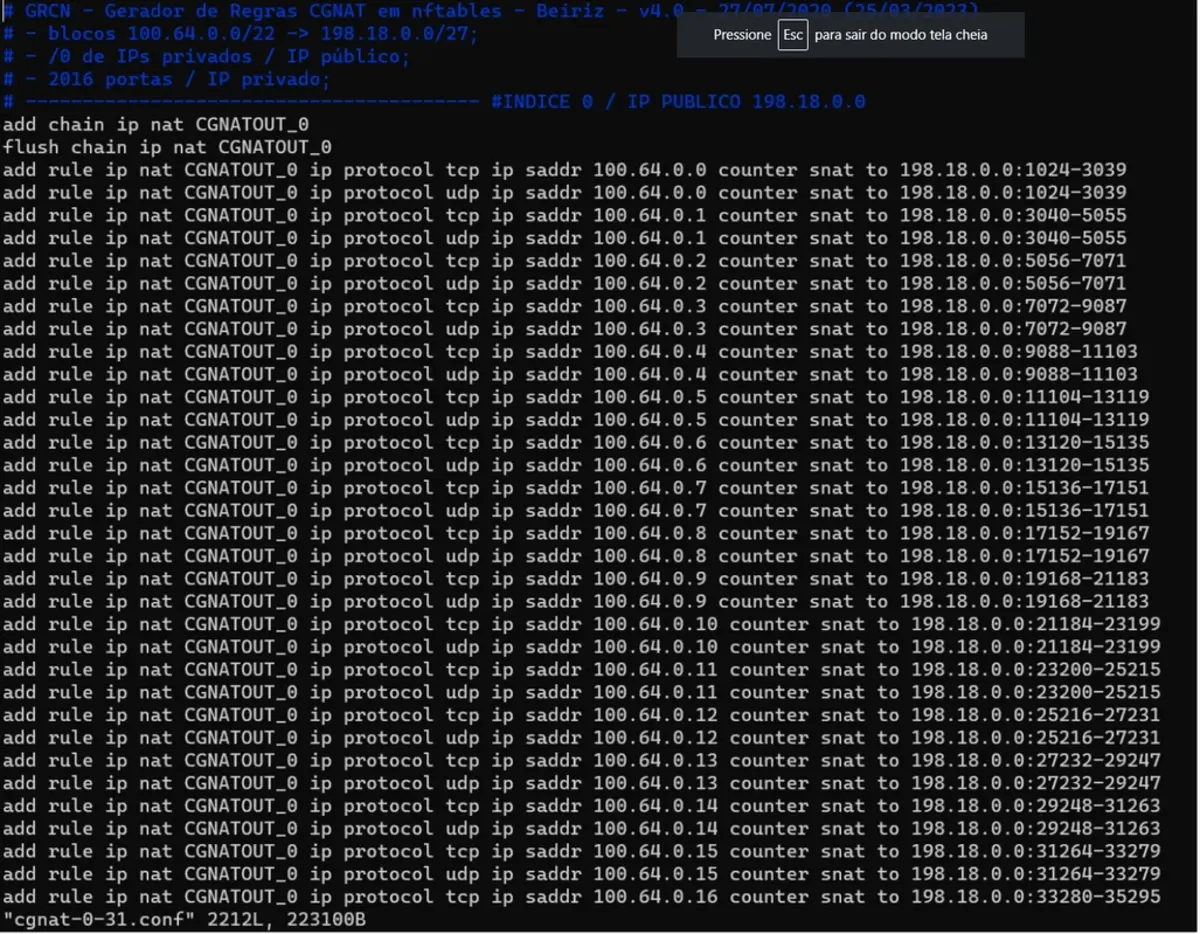
You can check how the CG-NAT network works with software like GNS3. For example, your router connects to another router that performs your operator NAT. The Public IP address shared would be something like 87.87.87.87. Even when you don’t perform port-forwarding, domestic routers won’t allow making changes on the CGN router from your operator. It’s a very important feature to identify because you won’t be able to run NAS, FTP or VPN servers on your own, among other things.
The differences between Public IP and CG-NAT
The IP address is a connectivity environtment and the tool for device communication on the Internet. There are several differences depending on the protocol we use.
Starting with a Public IP
- Each connected device has a unique IP address to be identified on the network.
- It’s directly assigned from the router.
- It represents your main address and everybody can see it.
- A Public IP is useful when you need to access any service from any place on your home or office.
CG-NAT alternative
- It’s like having a shared IP on an Apartment Building.
- CG-NAT allocates private IPs for each device on your local network. It uses just one shared Public IP.
- With CG-NAT addressing form the exterior is done with one just one IP address. Each incoming connection requires management through address translation.
Using a Public IP can be benefitial when using online services or playing videogames that require direct connection. But most of the users won’t notice anny difference for everyday activities like web browsing or watching videos.
What happens when you use CG-NAT?
There are numerous incovenients for users when you use CG-NAT but there are also benefits. On the bad side you can experiment problems with online videogames, blocked websites or port behavior. In terms of advantages, there’s shared IP, security measures and private network management among others.
CG-NAT inconvenients against Public IP
Online videogames
The main problem when using CG-NAT is latency for online ivdeogames. It will be a little higher and the games may run slowly. If the PING is high, check your Internet speed. If you find a value above 50 or 100 using optic fiber, you are in trouble.
IP web block
If a website blocks a Public IP shared with different users, you may be experiencing a CG-NAT ban. When a Public IP with dependant networks is blocked, all the users will be affected.
Port opening
You can’t open ports with CG-NAT. It’s more secure against malware and hackers but you won’t be able to run a VPN or FTP server. If you are looking forward to use your computer remotely, you won’t be able easily with CG-NAT.
IoT
The Internet of Things is another problem with CG-NAT. The user can’t properly set Internet Smart devices through a shared network. A Public IP is much more convenient for this.
IP geolocalization
If you share an IP with a user banned in certain websites all around the world, you can experience a block. But it’s also possible that your web browser reads your geolocalization wrongly and you won’t be able to run certain services. It’s a very usual problem with video and music streaming platforms.
P2P issues
In case you use software P2P like BitTorrent or videocall apps, CG-NAT will probable give you more problems than a Public IP. As you won’t have a particular Public IP, you can’t establish direct connections. In certain cases you won’t be able to connect in P2P services at all.

The benefits for enterprises
When using CG-NAT instead of Public IP services you can provide a more secure connection for enterprises and business. The main benefits are related to sharing IP and certain security and working solutions.
Shared IP address
The addressing technique of CG-NAT allows for enterprises to share the same Public IP. You can save up money as well as get more efficiency and address management options. The operators charge you for every Public IP so CG-NAT is excellent to avoid expensive services.
Security
All the devices behind a CG-NAT is hidden. It’s not that easy to access them from the Internet. By reducing exposition to external attacks you can protect your privacy for business and personal users.
Private network management
CG-NAT is better to manage private networks. You have less IP addresses to control and it’s easier to track what every user has been doing. It’s a more productive for the inner network development. Make sure you control the other devices for not sending spam content to prevent any website block.
How to identify a Public IP or CG-NAT connection?
If you want to identify which kind of IP have your operator provided, there are different methods. Following these steps you can recognize Public IP or CG-NAT addressing. You can always ask your provider because they should indicate which routing technique they use.
Check WAN IP on the router
Go to your web browser and access your gateway. Normally you must input https://192.168.1.1 or https://192.168.0.1. Login with your user and password and check the router status screen. In WAN IP Address you will see your IP number. Depending on the range of your IP you can identify a CG-NAT or Public IP.
The IP between 100.64.0.0/10 from 100.64.0.1 to 100.126.255.254 are reserved to CG-NAT technology.
Compare your router WAN IP and the Public IP on the Internet
This is another useful method. Compare the WAN IP address on your router with the IP you get from websites that identify your address. If the number on your router and the WAN IP address you get online are the same, your operator is giving you Public IP addressing.
The most common problems with CG-NAT
The problems that originate with CG-NAT technology are numerous. You may experience connection issues with streaming platforms like Disney+, Netflix or HBO Max because of IP geolocalization. It’s also normal to have problems when using Googel Meet, Zoom or Microsoft Teams for video calls. You may have quality issues when broadcasting videos.
Smart devices that require a fluent communication like security cameras or Smart ringbells may stop working. CG-NAT doesn’t allow to open new ports and the devices can’t be opened from a remote connection. Take all these into account when choosing your Internet operator and how to enjoy your experience on the web.