
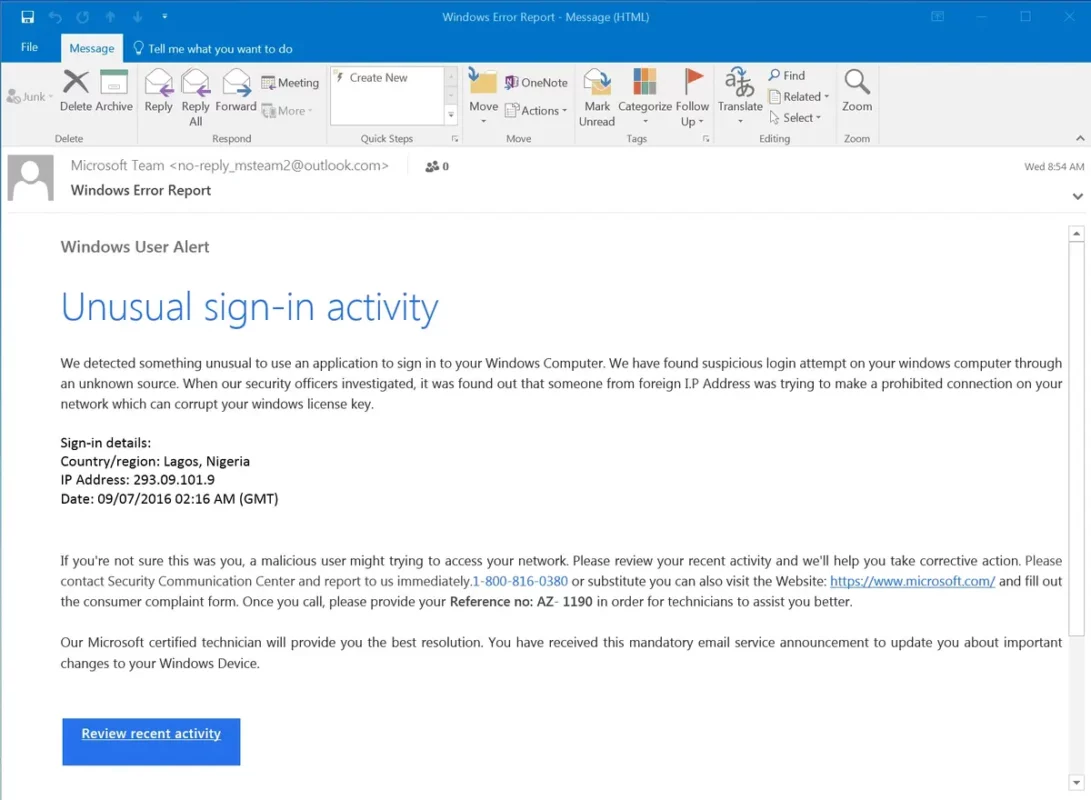
The e-mail is a very popular and useful communication tool on the Internet. You can keep in touch with friends and family as well as co-workers. Using an e-mail account you can organize your schedule and daily activities, but it’s also a door for problems. E-mail scams on Christmas season is one of the most dangerous practices users face nowadays.
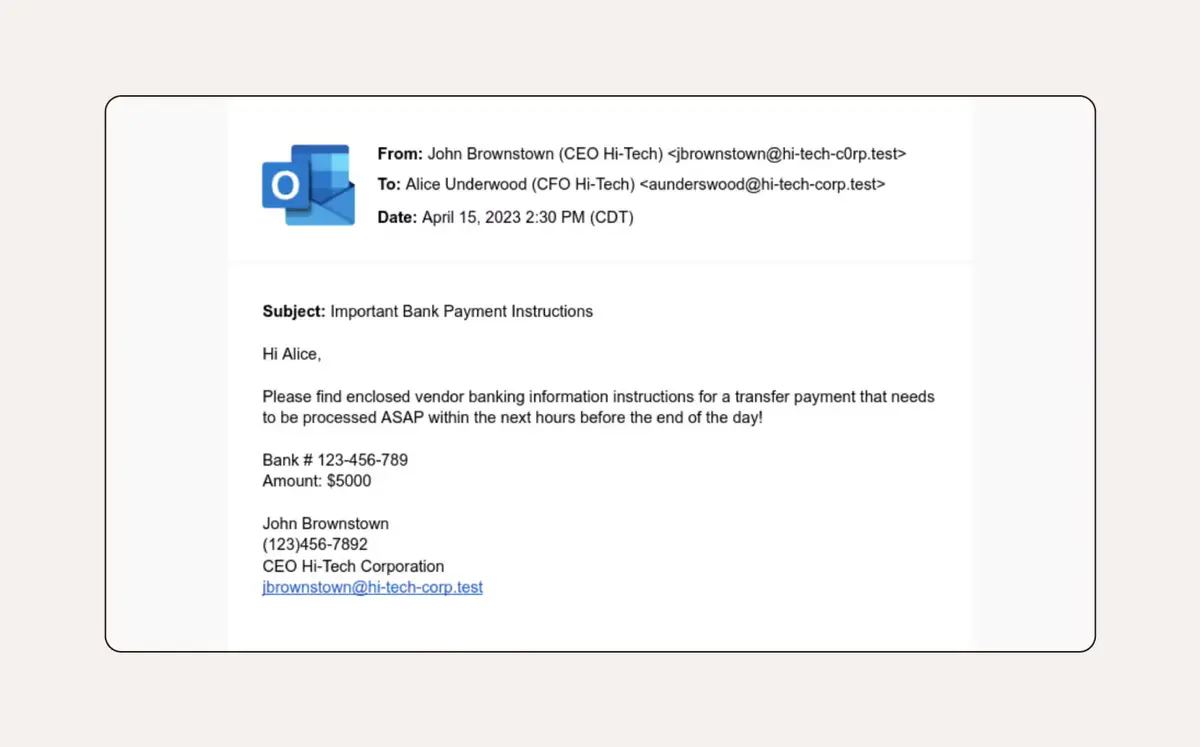
Christmas season is highly prolific in terms of e-mail scams. For that reason, this article explains how to prevent scams by checking certain relevant information in each e-mail. The main goal is detecting potential scams by e-mail in Christmas and taking measures to prevent attacks. There are different e-mail scams tactics such as stealing your personal data, passwords or even infecting your device with malware to ask for ransom.
Avoid Christmas e-mail scams
Acting fast whenever you make a mistake with e-mail scams is the key. In order to prevent infections you should check out certain data before opening any message.
First of all you should carefully read the e-mail sender information. Be aware of identity thefts. Most of the times you can detect it by subtle differences in a letter or word but sometimes it’s not that easy. One of the classical examples is receiving an e-mail from Amaz0n where the “o” is replaced by a “0”. This is clearly a scam Christmas e-mail.
Another quick way to detect e-mail scams is the Subject of the e-mail. Certain topics such as “Your package hasn’t been delivered today” or “Complete address data for your package” are clearly scams. The hackers are trying to toy with your anxiety for receiving a package but in fact they want to steal your personal information.
If the subject of the e-mail seems extremely urgent or gives you a very short timeline, it’s probably a Christmas e-mail scam.
Another good advice is reading the body of the e-mail to search for links. Are there any grammar mistakes? Strange translations? The links send you to unofficial websites? All these are signs of scam intents. Whenever you feel the text is not natural, you should distrust the e-mail. You should never click on a suspicious link.
Don’t trust strange files
There’s something similar to links when regarding attached files. If the e-mail has text, PDF or an image attached, those files may contain malware. It’s important to avoid downloading any suspicious file because the hackers use it to control your device or steal personal information.
In case you see an attached file on your Christmas e-mail message, beware of scams. The most useful tip is to be reasonable and trust your intuition when opening e-mails. If the subject requires an urgent answer or you see grammatical errors, you are probably in front of scam intent. Don’t forget to install an antivirus and antimalware solution and scan your devices periodically. That way you can detect and prevent any further infection quickly if you have already opened a dangerous mail.