
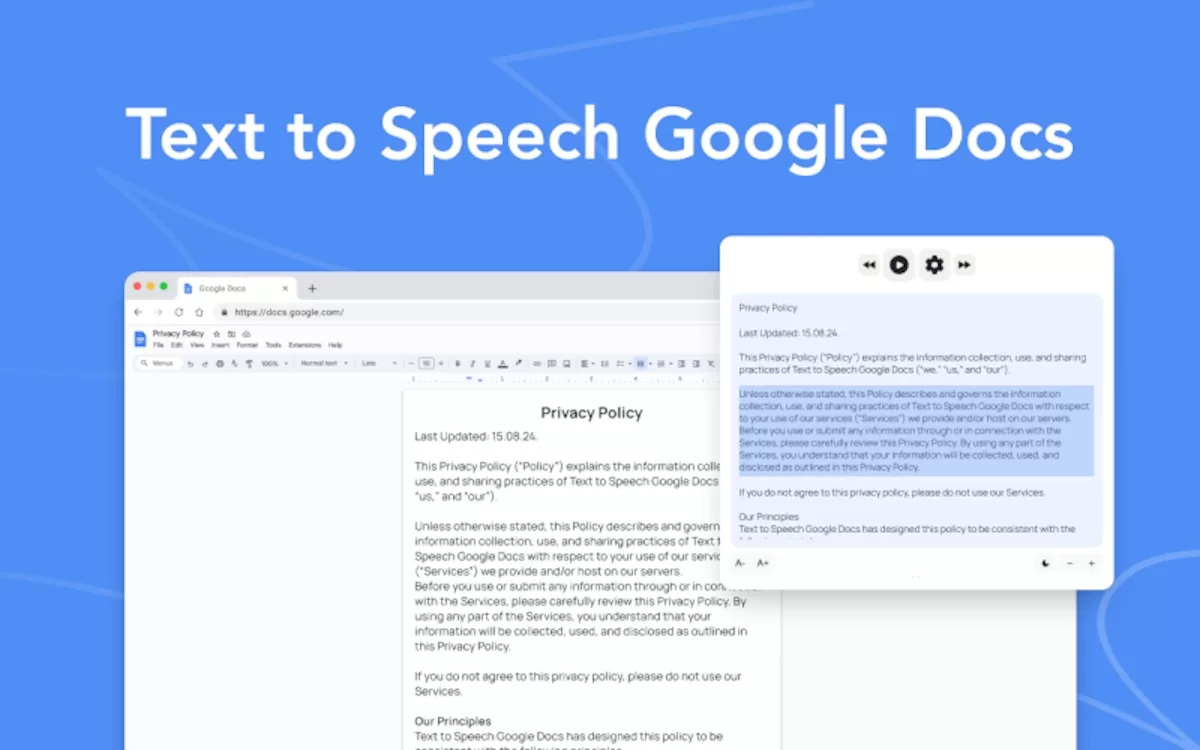
Google’s AI introduces two new features to save your time when reading. Now you can use Gemini in Enterprise accounts to save time reading or summarizing long texts. Thanks to Gemini AI you can use Google Docs office solution and make an audio summary of the documents you need to read.
The main idea of these two new features is two save time using AI features manually through Google Docs. You can still read traditionally, but sometimes a good audio summary can save you several hours of reading.
Google Docs reading AI features
You can turn your text documents in Google Docs into audio thanks to AI features. The Listen function can generate a natural audio file with the content of your text. There are two ways you can benefit from these new AI features in Google Docs.
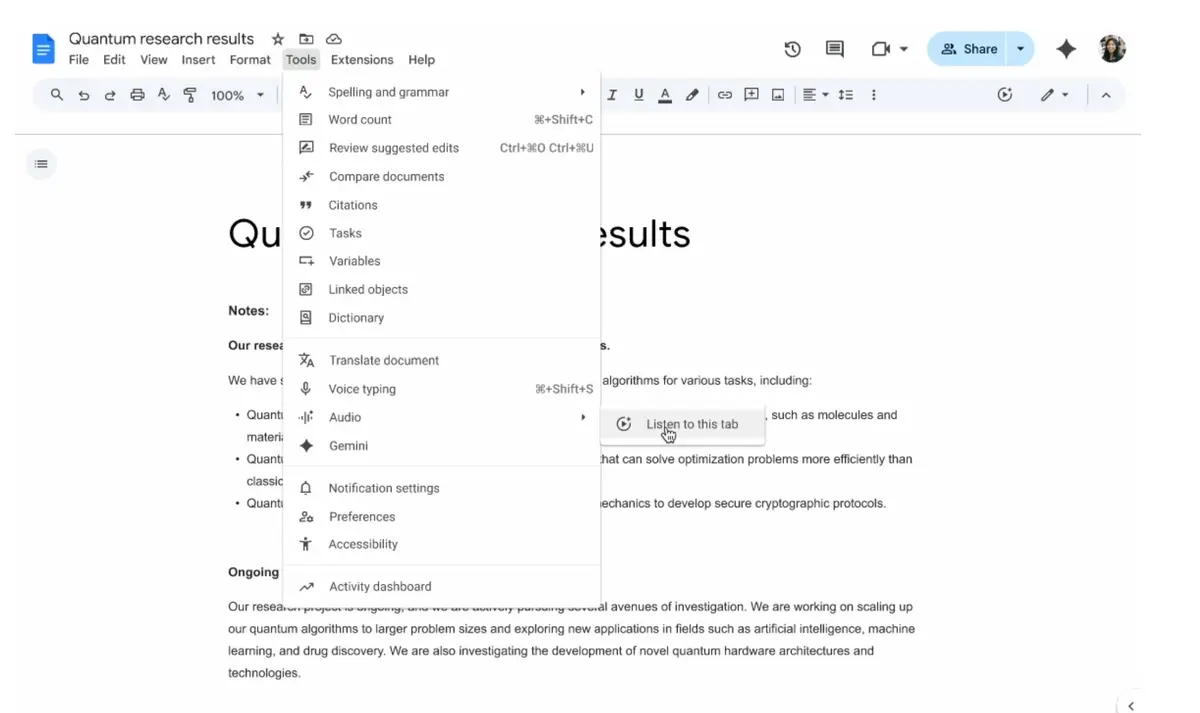
Open the Tools –> Audio –> Listen this tab option and you will automatically start listening a reading of the document’s content. You will see the Player controls in order to go back and forth in the text depending on your needs. It’s also possible to control the speed of the audio or choose between different kinds of voices for the reading. Finally, you can share the audio with other users including a play button for each user of the document.
AI limitations in Google Docs
There are certain limitations for the new AI features in Google Docs. For example, the tool won’t work with files with more than 20000 characters. After that amount of characters the audio will stop. If you need to work with larger text files, it’s convenient to divide it into several files.
There’s also a language limitation as Google Docs AI feature only works in English at the moment and using the desktop version. For the moment, it’s not available on mobile phones or other languages.
Finally, the new AI features is only available for clients of Google Workspace with Business Standard & Plus, Enterprise Standard & Plus or those who use Gemini Business complements.
Google Docs AI also plays text summaries
The second feature Google is working on introduces the possibility of Listening to a summary of the document. It’s another AI feature that makes use of Gemini to summarize the content for you to listen. The AI agent extracts the most important information and you can activate it through Tools –> Audio –> Listen a summary of the document. It’s also an exclusive feature for thos who use Business and Enterprise Google plans or Google AI Pro and Ultra subscriptions. The feature is also available exclusively in English at the moment.
Google is working to give users a great tool for AI incorporation to everyday activities. The possibility of listening to your documents or creating a summary can save several reading hours. At the moment is a very exclusive and special feature for limited users but it will probably adapt to several other accounts and plans in the near future to bring more features to AI in Google Docs.