
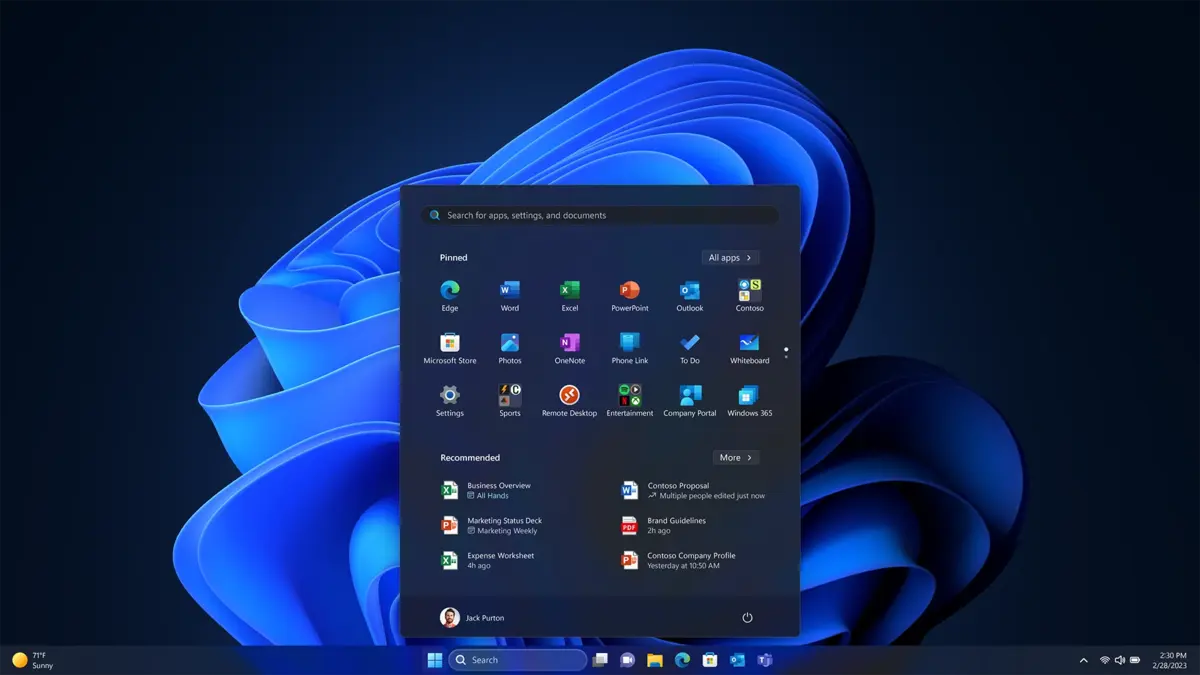
Microsoft wants Copilot AI features to become more intrusive for users. The new change on Windows 11 taskbar forces you to use Copilot AI but you can remove it manually. It’s a good idea in case you don’t want to make use of Artificial Intelligence assistance automatically.
In the new beta versions of Windows 11 for Insider users, there’s a new Copilot feature that allows sharing any window from the taskbar with the AI. Those who don’t want their privacy shared with Copilot criticize the new change and there’s still a manual option to remove this feature. Insider users indicate that Windows 11 new changes are focusing directly on AI reach.
Windows 11 taskbar with new Copilot AI features
The new Windows 11 taskbar Copilot AI features is already being tested. It allows for Copilot and Microsoft 365 Copilot apps to access any windows from the operating system taskbar.
Microsoft goal is to omit the manual sharing screen process and allow for the AI assistant to perform it. You will directly transfer the screen to Copilot or Microsoft 365 Copilot without any manual intervention.
Users who are worried about privacy issues don’t like this new update. Of course you need to give permission to Copilot but recently Windows made it clear that the taskbar is the new control center for AI features. Right now this feature is on test and it could include other virtual assistants in the near future.
Use or remove AI windows sharing option in Windows 11
If you want to make use of the new AI feature, there’s a selection tool in the taskbar settings. You can press the Share with Copilot with and directly send your open window in Copilot. The AI assistant can then analyze the screen and offer you help. Once you share it, Copilot can read the content. Summarie it, suggest answers or guide us through different actions available.
Windows AI Copilot new feature is designed as a new assistance layer with only reading access. The AI can see the screen but it doesn’t control the app and can’t interact with it.
Another alternative is selecting apps that can ask for AI access. Up until now, Microsoft only used Copilot for helping tasks but now Microsoft 365 Copilot is on board. There’s a possibility for new AI agents from third parties to become compatible in the near future. In order to enable or disable the new feature you have to follow these steps:
Settings –> Customization –> Taskbar –> Taskbar behavior
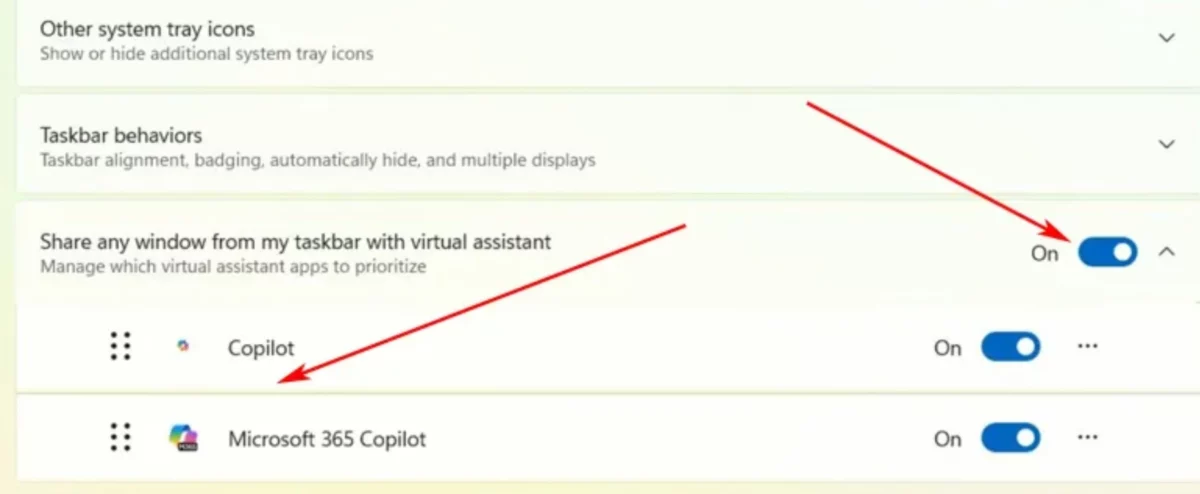
You can also indicate which AI agent has priority when sharing a window with his new feature. Microsoft is working harder to include new AI features into the Copilot ecosystem to compete with other agents such as OpenAI or Google. With the new features in Copilot, users will be able to automate certain tasks or receive help from the Artificial Intelligence assistant in a very quick and easy way. Then you can decide if using it or not, depending on your trust on privacy protection measures.
Do you have any questions or problems related to the topic of the article? We want to help you.
Leave a comment with your problem or question. We read and respond to all comments, although sometimes it may take a while due to the volume we receive. Additionally, if your question inspires the writing of an article, we will notify you by email when we publish it.
*We moderate comments to avoid spam.
Thank you for enrich our community with your participation!