
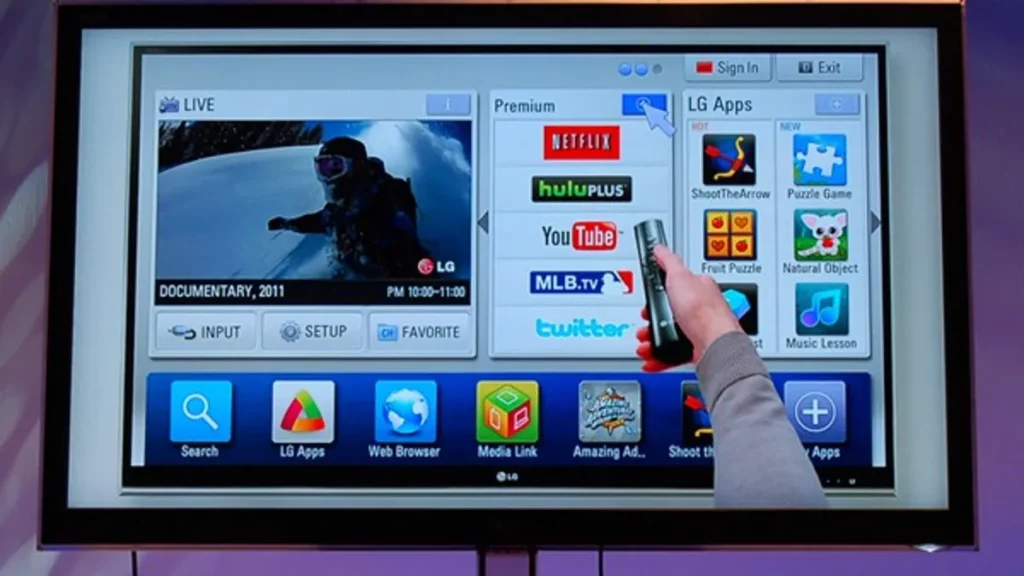
You can use a Smart TV for much more than only watching TDT channels or connecting game consoles and other external devices. A Smart TV allows to install several apps that you can use to add different features that an older simple TV couldn’t load.
In this article we explore how to download the Smart TV apps that you can’t miss. There are several stores from where you can obtain apps and they can vary depending on your TV operating system.
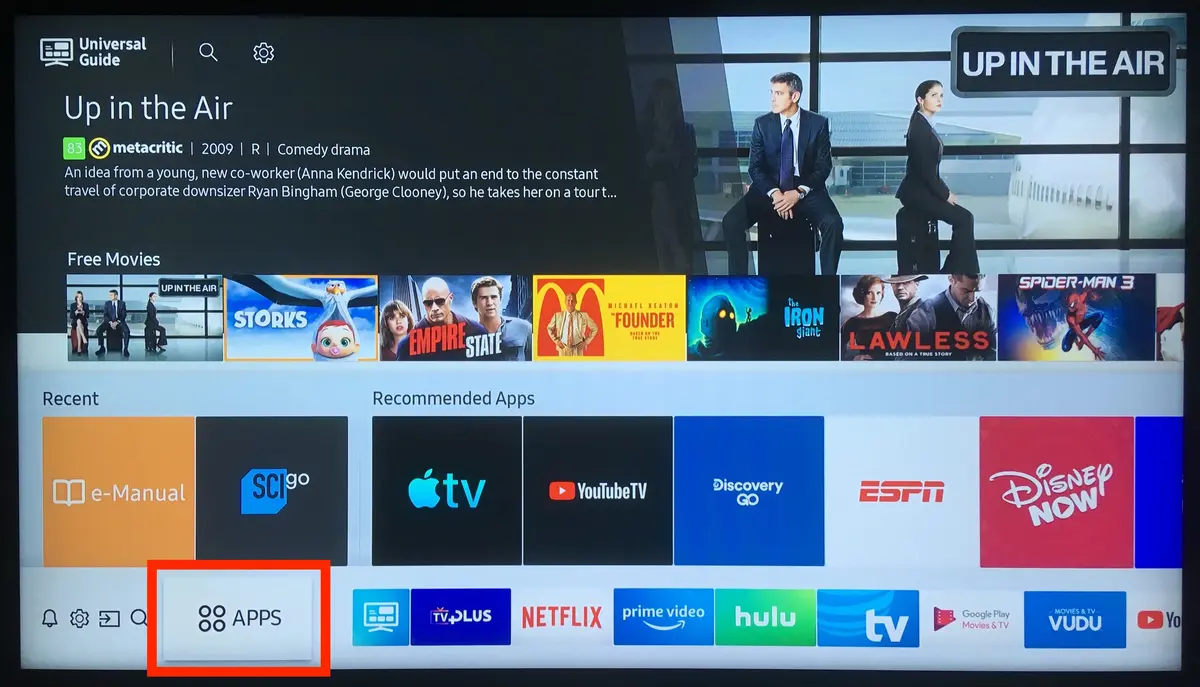
The stores for downloading Smart TV apps easily
The app store for your Smart TV apps needs to be secure. You will introduce your personal information and accounts so you can’t download apps from any website. Each operating system includes its own store. In Android TV and Google TV devices you will use the same Google Play from tablets and mobile phones. Even if the name is not the same, in Google TV the app behaves identically.
Other operating systems like Samsung’s Tizen or LG’s webOS use their own proprietary stores. The function is pretty similar but the number of apps available is lower. In operating systems other than Android TV or Google TV you may end up finding lees apps. It’s pretty common to find the most popular ones but some specific ones are not developed for Tizen or webOS.
Watch TDT without aerial antenna
A Smart TV is for much more than watching conventional TDT channels. However, it’s good to know that you can watch traditional TDT TV without the aerial antenna. There are some interesting apps for watching TDT TV directly from an app. The most recommendable ones include:
Tivify
A great method to watch TDT without aerial is downloading the Tivify app. The interface is very simple and you can navigate the different channels easily. There are also thematic free channels that get into the grid frequently.
ATRESplayer
Another excellent option is the ATRESplayer app. It’s solely dedicated to Atresmedia content. It’s the official app from the corporation and it also offers Premium content with popular series like Venom or the FoQ reunion.
Mitele Smart TV apps
Another of the popular Smart TV apps you should download to watch TDT for free. This is the official Mediaset app and includes all the content from Telecinco, Cuatro, Divinity, FDF and other channels from the firm.
RTVE Play
The last of television media official apps is from the Radio Televisión Española. It includes all the public TV channels in direct broadcast. It also has on demand content. You can watch Telediario, Cuéntame and even The Ministry of Time series.
Smart TV classic streaming apps
A Smart TV is the perfect device to listen to music or watch series and movies via streaming. You can download popular platforms such as YouTube or Spotify, or even find new apps with interesting catalogs ready for you.
Amazon Prime Video
Those who are Amazon Prime clients have a Prime Video subscription for free. The catalog is bigger day by day and it offers all kind of content made by Amazon. It has movies and series, classic and new.
Apple TV
Apple has also jumped to the multimedia world with a content streaming app. Using Apple TV allows you to watch Apple TV+ content in your own Smart TV like any other streaming apps. There are interesting shows like Fallout, Ted Lasso or Sonic X.
Disney+
The Disney app has all the Marvel, Disney, Star Wars and Fox content in the same interface. You can watch The Simpsons, Futurama and many more TV shows through a very intuitive and fluent app.
Max
The HBO Max successor has all the Game of Thrones related content as well as Succession and series and movies from the DC world. There are also classics such as Friends that you can watch one more time.
Netflix
The driving force of the streaming apps for Smart TV. Netflix has a lot of interesting internationally made shows like La casa de papel or The Squid’s Game. It’s also the place to watch all Hayao Miyazaki movies as well as different series from original multimedia creators.
Pluto TV and the Smart TV apps you should always have
Pluto TV is a platform that lets you add thematic channels for free. You can watch them by only selecting the topic, on demand or by live broadcasting. There are also channels with content playing 24 hours a day. There’s a lot of options in the platform and all of them are free.
Twitch
The Twitch platform is part of Amazon group. It’s a streaming platform dedicated to streaming content that includes debates, chatting, interviews and online videogames competitions.
YouTube
YouTube is still the most popular streaming platform. It works in Smart TV, mobile phones and tablets. You have millions of videos ready and you can synch your user to continue playing your videos everywhere.
Spotify
The Spotify option is great for those who love music. You can access a huge catalog of songs from all over the world. And there’s also a podcast section with interesting interviews and programs to learn about your favorite topics.
Other Smart TV apps you shouldn’t miss
There are other apps you can find interesting when customizing your system or adding extra features. There are even apps to help you find shortcuts to make the most out of your Smart TV.
Google TV Home
This is an app for Android TV devices. It can change the aspect of your Smart TV to make it look llike Google TV. It’s a launcher that adds new features periodically.
Notifications for Android TV
Smart TV apps like Notifications for Android TV allows you to watch your mobile phone notifications without touching the screen. It also includes customize tools to select which notifications appear on your TV screen and a control center for watching your pending notifications.
FX File Explorer apps for Smart TV
The FX File Explorer is a file manager for Android TV and Google TV. You can access internal folders of your Smart TV and manage the installation of certain external APKs and multimedia files like photos and videos.
Button Mapper
It’s probable that you have a remote control full of buttons you don’t even know what they do. With Button Mapper you can create shortcuts in your remote control to open apps and run other tasks such as screenshots, show the clock or enter the Settings menu.
Kodi
It’s a multimedia center for all your videos and music that you can access locally or through a server. It also includes m3u list support.