
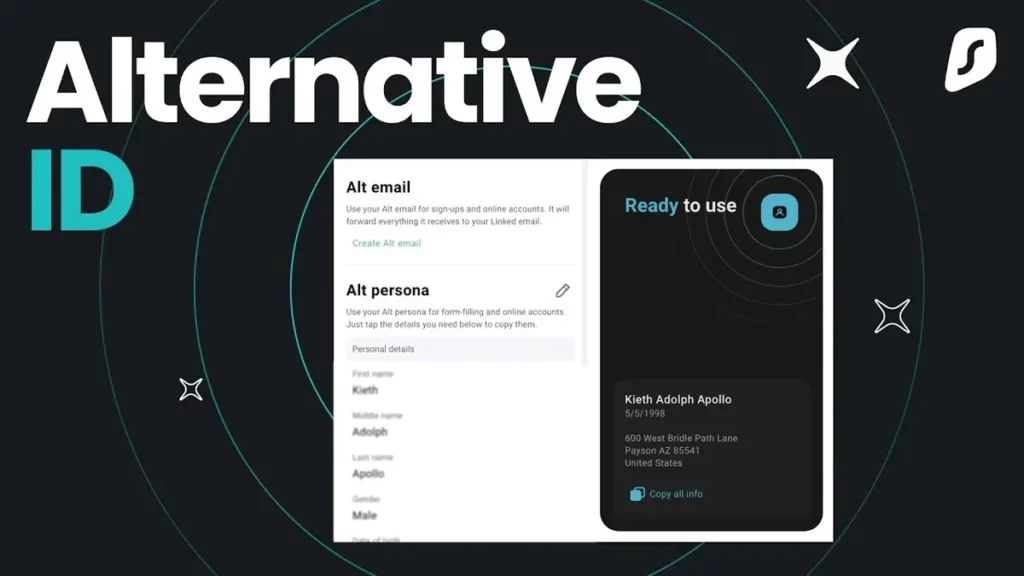
Using a VPN is very interesting and useful for your security and privacy when navigating the Internet. It helps you to cipher the connetion and allows to navigate geographically blocked content. But there’s also a feature called Alternative ID that you can enable in certain VPN services.
The Alternative ID feature offers a barrier against the Man in the Middle digital attacks. When you navigate any website you leave certain trails but using Alternative identity feature on your VPN service you can shield yourself.
The Alternative ID feature on a VPN
The term Alternative identification refers to a feature present in certain VPN services that creates an alternative e-mail easily. When you need to register your data on a website, you can make an alternative e-mail to input data with no direct tracking to your device.
The feature is present in Surfshark one of the leader VPN services in the market. Using Surfshark Alternative ID you can select which servers to connect to, cipher the connection and press the Alternative ID button to switch between your main e-mail and the new one.
You can activate Alternative ID from your mobile version of the app as well as extensions in web browsers like Google Chrome or Mozilla Firefox. It’s a quick and easy way to create new e-mail accounts whenever you need it.
The mail is temporary and you should use it only for specific moments. You can activate up to three and then you can eliminate them and create new ones. The alternative identification will resend the messages to your official mail but without exposing your information.
When to use it?
The best idea is to use Alternative ID feature when you need to register in specific platforms which you are not interested in receiving notifications from. For example, forums or online stores you visit occasionally. The main idea is to prevent spam messages using the alternative e-mail accounts. Instead of manually creating an e-mail using Gmail or Outlook, with Alternative ID the new account is generated in a few seconds.