
Instant messaging apps nowadays are very popular. You can stay in touch with your family and friends thanks to the Internet. WhatsApp is the most popular one, but it requires a phone number to synch your account. In this article you will learn about several messaging solutions that you can run in your phone or PC without a SIM or phone number.
The alternatives are quite numerous and useful to keep in touch with your family and friends. Since 2020 lockdown because of the Coronavirus, messaging apps have increased in popularity. There are different messaging apps solutions depending on your needs. You can use them for work meetings, making video calls or just sending photos, emojis and text messages. Not all of the apps require a phone number to run. Most of them only ask for an e-mail account or creating one in each specific platform. Learn which of these apps are available and how to make the most out of them without a phone number or SIM card.
Messaging apps you can use without phone number
You may want a messaging app to send messages or make video calls but without using any phone number or SIM card. This is very common when using a tablet with no SIM slot, or when you travel overseas without an International phone number. The following list includes alternatives to WhatsApp to stay in touch.
Wire
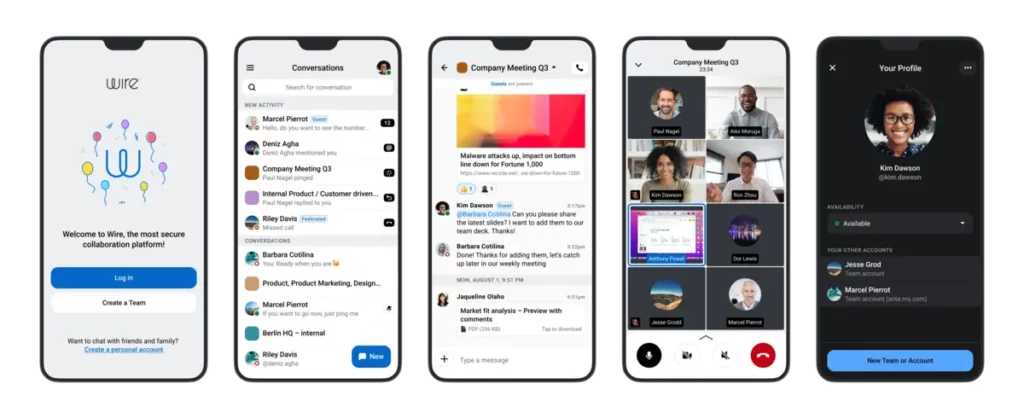
Wire is an excellent software solution for privacy and security communication without SIM card or phone number settings. You can chat with your family and friends in just a few seconds. The app is available for Windows, iOS, Linux, macOS or Android. It also includes an Enterprise version and a Basic one for personal users.
The best features of Wire include security and privacy barriers to avoid any hacker attack attempt. You can create group chats, send attached files and make video calls and more. Check the official Wire website and learn all about this messaging app solution.
Skype
This is one of the classic communication solutions in the Internet, Skype. The tool is very popular as you can make video calls or audio calls without introducing a phone number. It’s very versatile and compatible with most of the operating systems available. You can download the messaging apps versions or enter the website and use it directly from a web browser.
Skype is totally free and the community still believes it can perform several calls and video calls with high quality. You can also send all kinds of files using the app interface. The app is very popular in the business sector when compared with WhatsApp. It’s very normal to find contacts using Skype for everyday communication instead of WhatsApp. On the negative side, from May the 5th onwards Skype doesn’t receive any more updates from the developers.
Skype Meet Now
This is the newest Microsoft’s solution for video conference and video calls. Skype Meet Now is present in the Office 365 office package for Enterprises. You can use the Skype Meet Now feature using the Meet Now button on the app’s lateral column.
Remember that every Skype call has a fixed number of allowed participants. Depending on your platform and device the number may vary. There’s also another tool called Conference call that creates a group call without requiring the others to have a Skype account. If you have the link and the Skype app, you can join any meeting in just a few seconds.
Other features in Skype Meet Call include the blur effect for backgrounds, screen presentation and meeting recording. It’s very useful for important work reunions where you need to check what has been said.
Telegram
Another software solution for instant messaging is Telegram. You don’t need a phone number to communicate with others. It’s regarded as one of the most secure and private messaging apps. The information you share on the platform hardly ever leaks. It was one of the first apps to include end to end encryption and includes automatic erasing of sent photos. You can make individual and group calls with acceptable quality.
However, although using Telegram with no phone number is possible, you can also set it to show your number to other contacts. The focus is set on keeping your privacy and security and letting you choose when to share.
Meet and the messaging apps
Previously known as Hangouts, Meet is Gmail’s messaging app. You can create groups to send files and share photos. You won’t need a SIM car or phone number to use it. It has PC and mobile version and you can include your contacts to start chatting in a few minutes.
The interface is one of the strongest points of Meet. You only need a Gmail account and synch it to Google’s services. The tool has changed for the better in recent years. It has improved quality and security and you can easily communicate with contacts from all over the world through Gmail accounts.
Among the free messaging apps, Meet is one of the best ones. You can chat, make phone calls and contact users with no phone number required. It’s also available for PC and tablets and mobile phones.
Kik
Kik Messenger is not very popular, but it has been on the market for quite a long time. You just need to register and create your account. You won’t need to synch a phone number to start using it. It’s a great alternative to communicate, share photos and files without sharing your phone number. You can easy option to install in your phone or PC to keep in touch with family and friends. The only other requirement is an Internet connection
Element
A lot of users ignore Element existence. Previously known as Riot, it’s not as famous as Telegram or Skype but several users consider it very good. It’s an app for those who seek privacy and decentralization. You don’t need to use your phone number and you can even use it with no e-mail account. It’s possible to create an anonymous account through public servers or mount your own server to increase the control options.
Element is based on the Matrix protocol. You can communicate with users from other platforms thanks to it. It’s an ideal app for those who seek a real alternative with no links to big corporations. You can make voice and video calls, chat, share files and create group chats on public or private rooms. Element works on PC and mobile phones and the interface is very clear and intuitive when you learn to use it. It has no adds but you need to have your contacts on it to make full use of it.
Facebook Messenger
Facebook Messenger is the social network platform to send messages. It’s a very common app to be found today on mobile phones and PC. You don’t require a SIM card or SMS messages to validate your account. The only downside is that you require a Facebook profile to run it. You will be able to contact all your Facebook friends and synch your list of contacts for written, voice and video messages.
Like Facebook, Instagram also has a tool to make video phone calls without a SIM card or phone number. The app was originally focused on photography but today has become a great messaging and communication tool. You can chat, send files, voice messages and more.
In order to communicate using Instagram you need to have all the contacts included in your friends list. Voice call them using Internet and make full use of your phone camera. If you select the phone icon you initiate a voice call, and the camera starts a video call. Another funny advantage of Instagram is that you can select different filters to add on the video. It can also share screen to show your friends something specific.
Houseparty, messaging apps without phone number
This platform is not made for multitudinous meetings like the previous ones on the list. It’s a strongly stable and trustworthy app with an 8 participants limit and it rarely fails. You can use Houseparty for voice and video calls and you can even play some mini games while talking. It’s an entertainment app as well as a messaging one.
You can download Houseparty in your Android or iOS device. Register with an e-mail account and validate it in order to start creating your group calls. Share the meeting link and you can directly connect with your friends and family.
Zoom
One of the leader messaging apps with no phone number requirement is Zoom. Being the most popular one has advantages and disadvantages. For example, it’s usually the first to saturate with lots of users. Zoom can handle up to 100 contacts meetings with a free account. It includes Android, PC and iOS versions.
It’s extremely easy to use. You just have to register and start using your Zoom account to call your friends. The interface is very easy and intuitive; you can share your screen as well as schedule meetings. Invite your contacts through mail or directly sharing the URL address.
Jitsi Meet
This is the most complete Zoom alternative you can experience. It offers end to end encryption to make sure all your communication is secure. Your videoconferences with Jitsi Meet are fully private. You can access all Jitsi Meet features with no need of a subscription or phone number at all.
Download the program from the official website y click on the GO button to start adding your contacts for a call. Jitsi Meet brings several features you can make the most out of. For example, manage the microphone, camera and screen use. Stream your content online and more.
Using Jitsi Meet messaging apps without phone number you can also introduce a password for your calls. It’s a way to increase security and make sure no one enters without being invited.
If you want to experience the most comfortable version, install the Google Chrome extension and integrate Google Calendar and Office365 to the Jitsi experience. Remember to log in to your Google account to make use of all Jitsi Meet has to offer.
Cisco Webex
Webex company was bought by Cisco several years ago. It’s still a good solution for videoconferences and it includes a free plan with several features. You can also opt for a subscription but first experience what Cisco Webex offers in the messaging apps with no phone number environment.
If you occasionally have a need for videoconferences, Cisco Webex may be a good alternative. You can organize your meetings without having a phone number synched and with great audio and video quality.
Register your free account and use Cisco Webex web version or download the app for a better meeting management experience. You can use a personal meeting space to quickly start a videoconference, organize meetings and schedule them in just a few minutes. It also includes screen sharing, web browser tab navigation and other features.
Talky
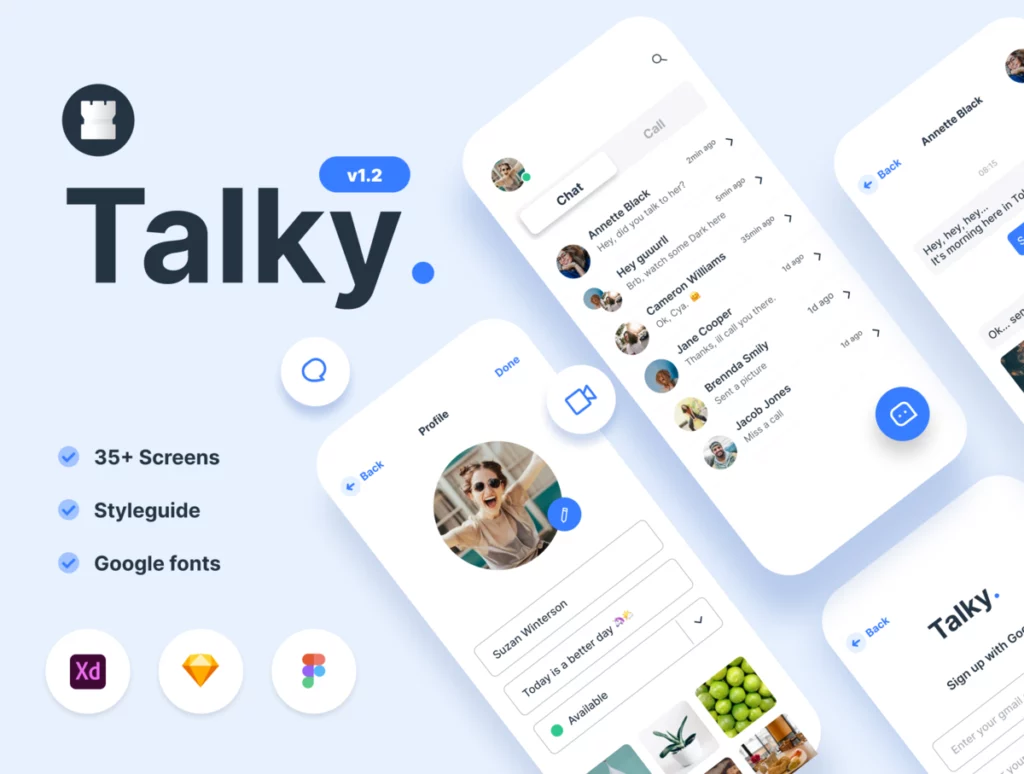
Another Zoom alternative with a extremely simple design. It’s an excellent alternative for small work meetings or casual videocalls with family or friends. You can start a videoconference in just a few minutes and you only need to open the Talky official portal and give your meeting a name. Set your webcam, speakers and microphone before starting and call your friends or colleagues with no need of phone numbers. The meetings have a limit of 6 people.
Signal
Signal from the Signal Foundation is one of the messaging apps you can find on Google Play Store and use with no phone number. A free communication app that runs with an e-mail account and lets you exchanges messages, files, video calls and audio calls. You only require the e-mail account of the other person. Forget about a SIM card to make your voice calls. All the messaging apps in this list work properly.
Session
Another one for the list with anonymous and secure features is Session. It’s excellent for those who need to have sensitive conversations. You can install it on Android, iOS, Linux, Windows and MacOS. It includes end to end encryption and makes use of a decentralized blockchain for data transmission. You can send multimedia files, voice messages, videos, photos and more. Use session for private or group chats with a design very similar to WhatsApp.
Use social network as messaging apps with no phone number
You can use Snapchat, Instagram and X (formerly Twitter) to contact your friends directly. Most of these apps don’t ask for a phone number to register, and you can use them to chat with people all around the world. The downside of these social network platforms is that encryption is not that good. In case you are sure you won’t share personal information, it’s an easy and fast solution to keep in touch.
Use WhatsApp with a landline
In case you are looking for a WhatsApp alternative with no mobile phone number in your messaging apps, you can try a landline. The process to activate a WhatsApp session with a landline number is the following:
- Download WhatsApp in your mobile phone or tablet.
- Register your landline and answer the phone to get the identification number.
From that moment, you can use WhatsApp with a landline number. You won’t have to use the landline anymore to access WhatsApp, only in the case you erase the app and uninstall it from the PC, phone or tablet.
WiFi videocall problem solutions
You may experience errors when making a phone or videocall through WiFi. The app you are using doesn’t connect well or the call quality is low. Another common issue is establishing a constant communication and avoid cuts and micro cuts. If your audio and video are not synched, the experience is extremely boring and frustant. In order to solve these common issues, first you need to identify them and the causes. The following tips are made for you to detect and fix communication issues quickly.
Check your Internet connection
A common problem when using messaging apps with no phone number, is the Internet quality. Audio calls don’t consume as much bandwidth as video calls. It’s easier to connect when we only broadcast audio signals. When you want to make a video call you must make sure your Internet supports big bandwidth accordingly to the participants of the meeting.
You may experience bad video quality or cuts during the conversation. Make sure your WiFi connection is not too crowded and how the signal arrives from the router.
Look out for download and upload speed
You can easily test your Internet connection for an audio or video call. If you can make a video call with your WiFi connection, then you won’t have any problem with an audio call. This is because video calls broadcast and share more data and information. If you can make your video call with no problems, the audio call will work just fine.
In case your video call doesn’t run smoothly you must check your WiFi connection and Internet provider. Make sure you are connected to the WiFi and try loading a website. You can also try running a streaming service such as Netflix or Amazon Prime. It’s important to revise if the videos load with high quality. If the streaming cuts or fails, you need to check your Internet connection. The grey bar on the timeline should charge faster than the yellow line. If it does, then you can make a video call with no problem.
For a more professional approach, you can run a speed test. The upload and download values should be of at least 15 MB. Latency is another value you should check. A reasonable number is below 30ms.
WiFi coverage for messaging apps without phone number
If the WiFi signal is not strong enough, you should use WiFi Analyzer or other tools to learn how the Internet connection behaves. Scan your network to detect the WiFi channel status. WiFi analyzer will detect crowded channels and recommend you to change to a free one.
Don’t forget that WiFi coverage diminishes when far from the router. Try to make a video call as close to it as possible. You can also try using a WiFi repeater, a WiFi mesh or access point. If you can’t experience improvements, you should contact your provider to see if there are other issues.
Restart the router
The Internet connection keeps giving you problems and you can’t make use of your messaging apps with no phone number. Avoid a headache and restart your router to see if the connection improves. It’s a very straightforward solution and sometimes fixes daily use problems with WiFi routers. When you restart the router the connection refreshes and the crowded channels are freed.
Try using mobile data from your phone to check if the WiFi network is working properly. If you can make a video call with mobile data, maybe should restart the router. Sometimes the Internet provider servers fail and you can reconnect correctly by restarting your router. The main objective is to detect if the problem comes from the router or your own devices.
What to do if the problem continues?
If any of the other solutions don’t work, it’s probably a problem with the app we are using. The servers may be crowded or failing worldwide. All these apps are free and usually chosen by thousands of people all around the world. And there’s also the trend to make video calls to connect people from all around the world. As more users demand bandwidth, more issues arise for your Internet connection.
Most of these messaging apps that work without phone number, can make audio calls and video calls. Just make use of them properly depending on your Internet service.
Skype doesn’t connect or works slow, what can I do?
Maybe you are using the Skype platform and you realize the service is failing. You can try some of these advices to restore the app function. First you have to check the Internet connection as you would do with any other messaging app. Try restarting your router and using a WiFi repeater to increase the quality of the signal.
Download the official app before trying anything. Sometimes you download the setup package from a different website and there are damaged files that prevent the app from working properly. A good idea to test Internet connection is using the cable connection directly from the router instead of wireless connection
When you download the software, make sure it’s official and not a tweaked version from third party users. Sometimes you may installa a banned version of Skype and other messaging apps and that’s why it doesn’t work.
As the last advice, remember to check if you are trying to run a malware file.If the program is not updated or you download it from a strange link, you may be in front of a modified version or a virus.
VPN and firewall issues
Another common problem arises when you use a firewall or a VPN and try to communicate through Skype. The VPN encrypts the connection and every file sent and received. Some of the most popular services for VPN include ExpressVPN, ProtonVPN or NordVPN. The firewall does something similar. It interferes with the connection and it can affect negatively your messaging app video or audio calls.
Most of the free VPN services won’t work. They require a huge amount of speed to work properly and they don’t have it. You should turn VPN off if you are using a free service.
Which of the messaging apps is the best to make call without phone number?
This is a very personal decision, but there are certain aspects you should take into consideration. When choosing your messaging platform you must compare what they offer and what you need to be in touch with your loved ones.
Messaging platforms and services
Check out if you can access the platform without a phone number and the features of each software. You may need video, audio calls or the option to create group chat and conferences.
Privacy and security
Another main aspect for your messaging app. Make sure all your messages are encrypted to prevent any leak to the outside. End to end encryption is the basis of a secure messaging platform.
Verification and authentication of users
Some services may require an external method to verify and authenticate your account. Have an e-mail account, social network or other alternatives available for 2 steps authentication.
Community
You should use the messaging app plataform where most of your friends and family are connected. This will make it possible for you to keep in touch. This is the main reason because people choose WhatsApp.
Multiplatform availability
Your messaging app should be compatible with operating systems for your tablet and phone as well as the computer. Check out if the platform you select is available on mobile phones, tablets and different computer operating systems.
Additional features
Some messaging app services add new, exclusive features to make the platform more useful. From creating group chats tools to the usage of emoticons and stickers. You must choose the free service you like the most.
Following these advices you shouldn’t have too much problem running your Skype session. However, these advices can be used in any other messaging app.