
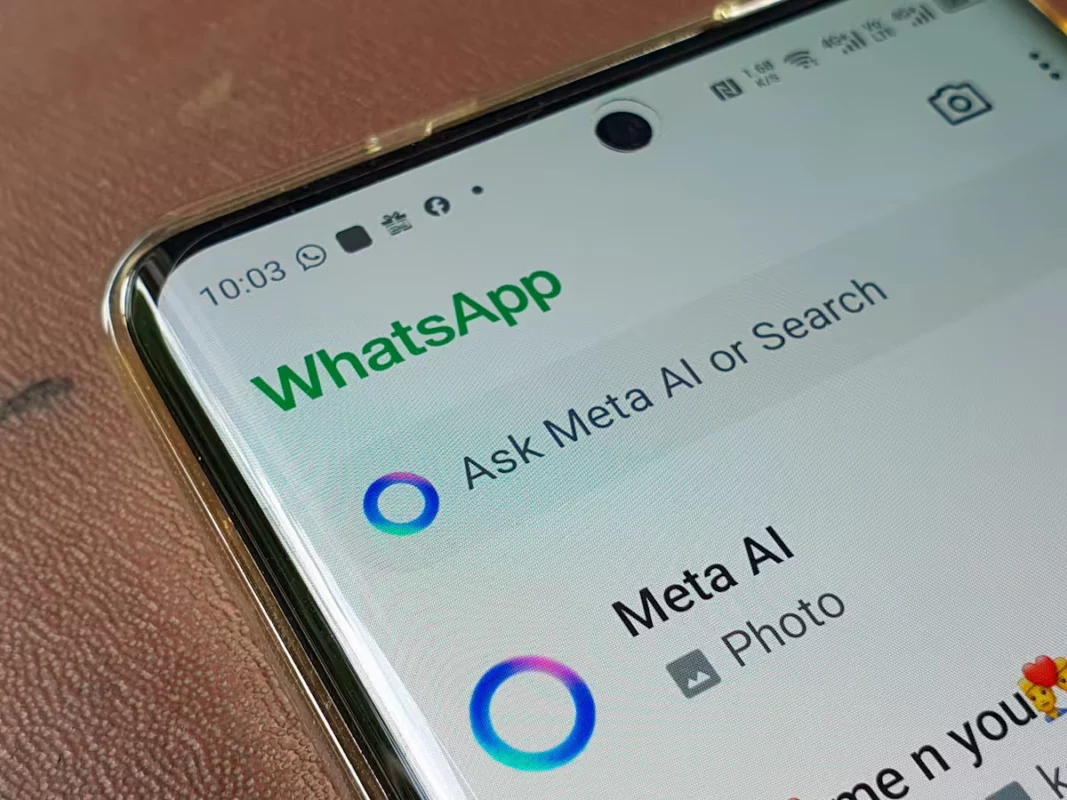
Every day more online platforms and apps use Artificial Intelligence to improve different features. Meta AI in WhatsApp is a dangerous example of this, and this article shows how to turn it off and why.
Meta AI arrival on WhatsApp is already a fact. The latest update includes a button for direct access to a Meta AI chat bot. You can make all kinds of questions and write prompts like in ChatGPT.

Meta AI privacy in WhatsApp
A part of the user community sees Meta AI arrival on the app as a good sign. While the other part refuses it. The main reason for those who reject Meta AI features on WhatsApp is the privacy vulnerabilities. The Artificial Intelligence integration in WhatsApp could put at risk all the information and data you share.
According to Meta, the AI engine tries to provide information and assistance for the user in a safe and respectful way. It doesn’t use any third party app or platform to do this. It’s important to take into account that WhatsApp Meta AI feature explicitly indicates that messages with the AI are not shared. They are also not saved and include end to end encryption so only the AI and the user can access them.
On the other hand, Meta indicates that the company doesn’t have access to the conversations in other chats. But a part of the community is still suspicious. You can eliminate Meta AI from the app in case you are worried about your privacy.
How to eliminate Meta AI chat window
In case you want to fully eliminate Meta AI feature in your WhatsApp, you can manually disable it. Artificial Intelligence won’t disappear and you probably have to start to cope with it, but right now you can hide it.
If you are not going to use it in the near future, you can hide Meta AI conversation to keep it out of your list of chats. Follow these steps:
- Open WhatsApp normally.
- Hold Meta AI chat in WhatsApp for a few seconds until a set of icons appear at the bottom of the screen.
- Press the trash bin icon and confirm the order.
Restore the Artificial Intelligence Meta chat
After sending the conversation to the trash bin, you won’t see it on your list anymore. However, you may want to recover it someday. In case you need to use Meta AI just press the floating button on the main interface and start chatting. You will then open the Meta AI WhatsApp chat window and you can ask it all kinds of things.
Artificial Intelligence nowadays is very common and users all around the world are starting to make use of it. WhatsApp is a very popular messaging app and it won’t stay behind in terms on incorporating new AI technologies and features. Fortunately, you can still ignore Meta AI in WhatsApp if you prefer not sharing information with the AI engine of the messaging app. Maybe in the future more users will accept Meta AI as a useful tool or ask for its final removal.