
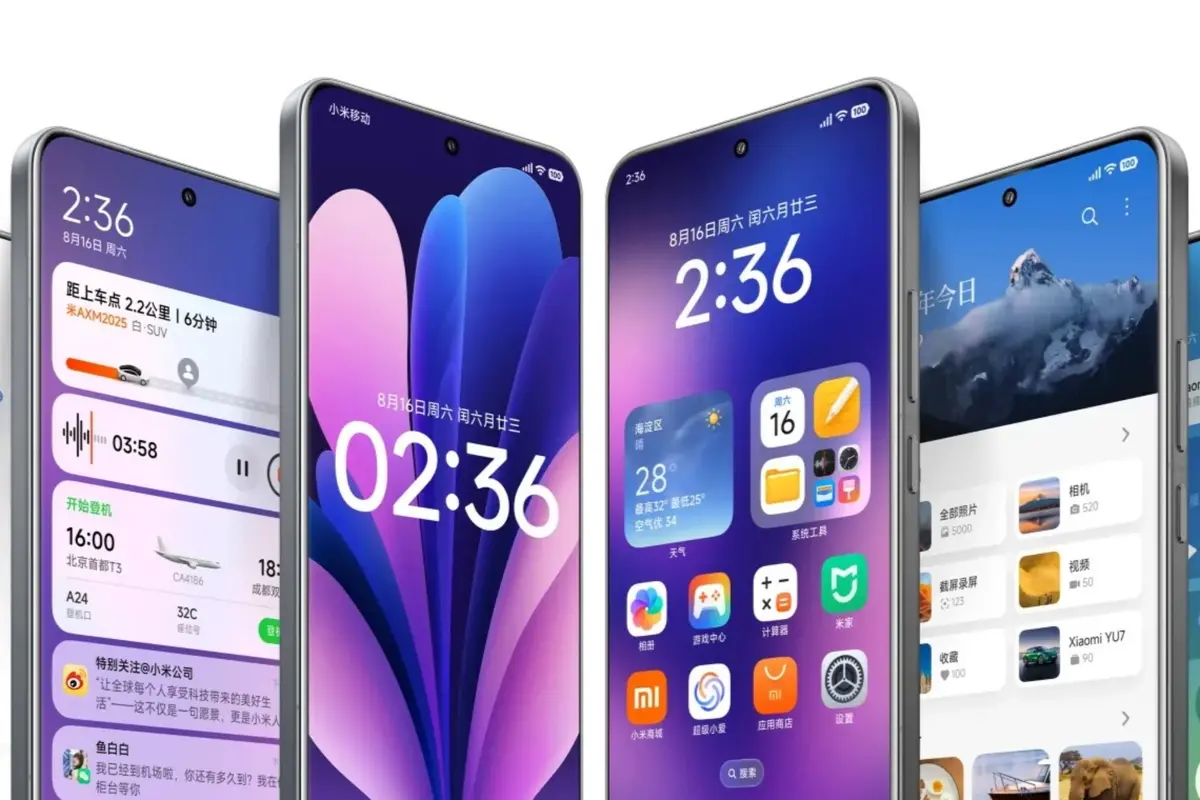
Integration between closed operating systems has always been Achilles’ hill in current mobile technology. Sharing documents between iOS and Android without using apps like WhatsApp or similar, has never been easy. However, the new Xiaomi HyperOS 3 arrives to make it easier with Apple devices.
It’s not a technical improvement by a strategy to attract users who also have an iPhone vice. HyperOS 3 and Apple compatibility will bring tablets and wearables a new versatility in daily use. Xiaomi is one of the Chinese companies that try to shadow Cupertino’s efforts in Asia. This new strategy is interesting because it won’t force users to leave Apple.
Minimum requirements for HyperOS 3 and Apple compatibility
In order to take advantage of the HyperOS 3 and Apple synchronization there are certain minimum requirements for your devices. It’s not available in all Apple or Xiaomi devices; in this list you can see the different needs.
- Xiaomi. You need a device with the HyperOS 3.0 or higher update installed.
- iPhone. The iOS 14 or higher is needed for the Touch for sharing option. You need an iPhone 12 or newer models.
- iPad. In case you want to share files using HyperOS 3 the iPadOS 14 or higher is required.
- Mac. In a Mac computer you need to update to macOS12 or higher.
Step by step settings
If you want to share files from your Xiaomi device to an iPhone, iPad or Mac, it’s very easy. You won’t need to set complex root process or using cables. You just need to follow these steps:
- Download Xiaomi Interconnectivity app version 2.0.0 or higher from the Apple App Store.
- Log in with the same Xiaomi account in your HyperOS phone and in the app for iPhone,iPad or Mac.
- Both devices must be connected to the same WiFi network and with Bluetooth on.
- Go to Settings in your Xiaomi phone and look for the Connectivity section.
- Enable Apps and Home Screen+ to send content to outside devices.
What can you do with HyperOS 3 and Apple interconnectivity?
Once both devices are synched, you can work with the platforms in different ways. One of the highlights is the mirror screen feature. You can interact with your Xiaomi interface directly from the iPad. It’s an excellent way to run Android apps in a bigger and smoother screen. For example, you can edit photos from Xiaomi gallery or answer messages without letting the tablet out.
The best function allows for instant file transfer between devices. You won’t need to send files using e-mail accounts or Cloud services or the Android File Transfer System. Now you can directly send your photos and files from HyperOS 3 to Apple devices in just one click and natively. Other advantages include reinforced multitasking, notification and files management directly from Xiaomi.