
A new PC with Windows is full of garbage apps you didn’t install. They come installed by default as a way for Microsoft to promote their own set of apps and services. However, you can manually uninstall them and avoid compatibility or speed issues.
The bloatware or garbage apps in Windows are more with every new version. But there are also lesser limitations to which ones you can remove. Microsoft states that preinstalled apps allow for new users to be ready to use the PC directly after turning off the computer. But any experienced user will recommend you to uninstall all the garbage apps or bloatware from Windows at the first opportunity.

Remove preinstalled garbage apps in Windows
Windows’ bloatware are most of the time useless. You can manually change which apps open by default or directly try to uninstall them. Not all of them can be erased, but you can try to save some storage space by entering Window Settings.
- Use the Win + I shortcut and select the Apps section to find the installed apps list.
- Press the three dots button on each of the apps you want to uninstall and select the order.
Uninstall garbage apps in Windows with third party apps
Certain programs in Windows 11 can’t be uninstalled manually. However, there’s an alternative when using third party apps. The app removal software is very popular in order to clean bloatware in new Windows computers. The top 3 includes the following software solutions:
IOBit Uninstaller
This is a powerfull alternative and one of the most popular ones. It can erase almost any kind of software from Windows 11. You can select preinstalled apps and even those that you can’t eliminate manually. It’s a great tool to free storage space.
Revo Uninstaller
It’s an excellent option to remove apps from Windows 11 easily. You can pick the Windows garbage apps directly from a list and remove them from the operating system memory in just a few clicks.
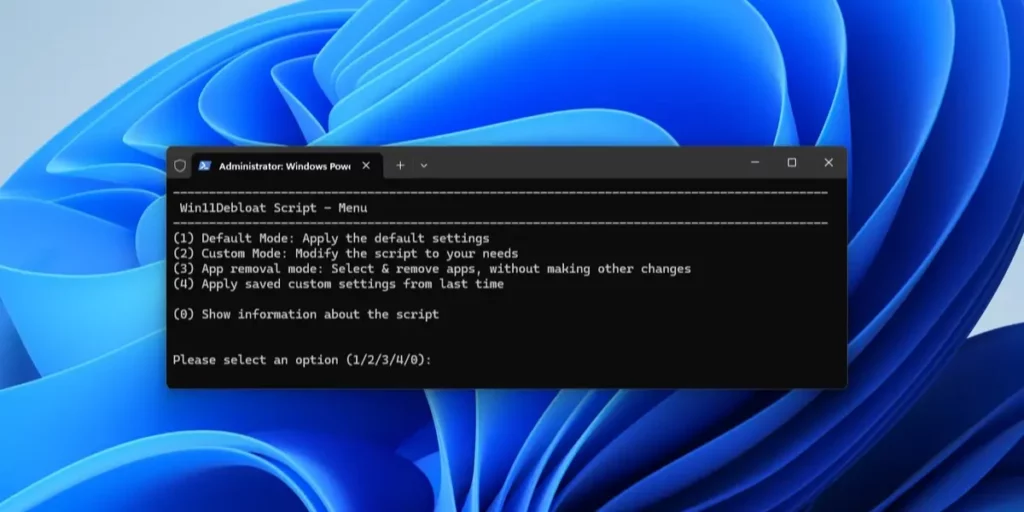
Win11Debloat
If you want to make the most out of your operating system and clean it fully, try using Win11 Debloat. It’s one of the most complete cleaning apps. Although the interface is not flashy or extremely cute, the script it uses cleans all the garbage apps in just a few minutes. The best alternative for advanced users.