
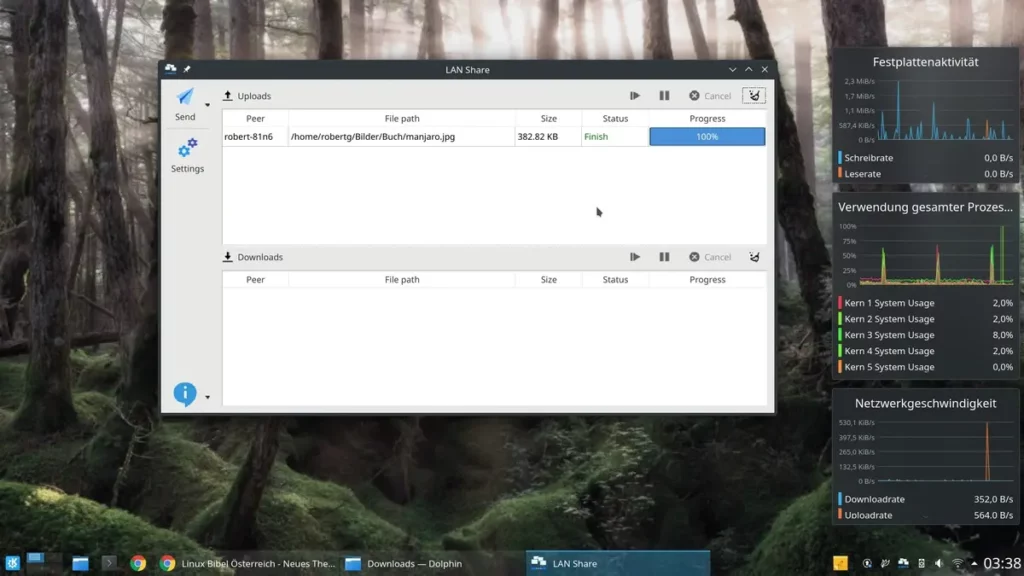
There are currently several ways to share and move files from a computer to another wirelessly. You don’t need external hard drives or pendrives either. In this article we explore how to share files between two Windows PCs when you have no Internet or USB device. Of course, Telegram and WhatsApp are very handful for sharing files, but sometimes you may not have Internet connection. There are also cloud storage services like Google Drive, OneDrive or Dropbox. But then again, you need Internet.
In case you need to share files between two Windows PCs when you don’t have Internet, you can look for other alternatives. One of the best solutions is the LAN Share software. It helps you to avoid all the traditional requirements of USB devices or Internet for sharing files between computers.

LAN Share and the connection between two Windows PCs made easy
The LAN Share software is a tool you should include in your everyday activities. It’s a free source app that can install in Windows and Linux devices and you won’t experience any compatibility issue. It works by moving files and folders through a local network (LAN). You can share your documents from a PC to a PC without complex settings. The interface is very intuitive and based on a drag and drop mechanic. It’s a great solution that saves resources and time when using your files in different computers.
Using LAN Share to move your files between Windows computers
Although it may sound hard to set, LAN Share is actually pretty intuitive. The installation process follows GitHub steps depending on your operating system and once you have it, it’s very straightforward.
You need to install LAN Share in both devices and it should automatically detect them on the same LAN network. To use it, press the Send button in the upper left corner to load all options. Then, click on Select Files or Select Folder to pick the documents to move.
Indicate the PC destination for the files and the process should start automatically. You can always use the traditional USB or Internet based cloud services, but LAN Share is a lifesaver when there are no other choices. When the PCs are connected to the same WiFi network or Ethernet, you can directly move files using LAN Share.
One of the great advantages is that LAN Share is faster than Internet programs. It can detect IPs without manual settings and you can restart downloads even when the app was closed. On the other hand, there’s drawback because LAN Share doesn’t have macOS or mobile phone version. It’s only available for Windows 10, Windows 11 and Linux distributions like Ubuntu. A great ally that comes in handy when you need to share files but Internet is not working properly. Try it and see what it has to offer. You never know when the Internet connection will fail and you may need to move files from a computer to another in just a few minutes. LAN Share is there for you in those moments.
Do you have any questions or problems related to the topic of the article? We want to help you.
Leave a comment with your problem or question. We read and respond to all comments, although sometimes it may take a while due to the volume we receive. Additionally, if your question inspires the writing of an article, we will notify you by email when we publish it.
*We moderate comments to avoid spam.
Thank you for enrich our community with your participation!