
Instant messaging apps are very popular nowadays to keep in touch through the Internet with family and friends. WhatsApp is one of the most used ones but it requires a phone number to work. Fortunately, there are several messaging apps that won’t ask you for a phone number and you can install them for free.
In this article you will learn how to use your mobile device without a SIM or phone number to keep in touch with your loved ones. There are different alternatives that come in handy to establish communications worldwide.
The messaging apps and the Coronavirus outbreak
From the Coronavirus outbreak in 2020 up to now, the video call apps have evolved to offer several features. The main goal is to keep in touch even with the physical distance. There are all kinds of apps according to your needs. For example, there are apps for work meetings but also for having fun chats with your family and friends. The messaging apps that won’t ask you for a phone number or SIM card are especially useful when you travel to different countries.
WhatsApp is a great app but you can’t run it if you don’t have a phone number linked. The apps from this list work directly with an e-mail account or by creating a special account with the platform. That means that with only Internet connection you are ready to talk with your loved ones. It doesn’t matter where you are. The apps in this list include PC, tablet and Smartphone versions. Choose the one you like the most and start contacting your friends and family in just a few minutes.
Messaging apps that don’t require phone number
You may want to send messages and make calls but without using a SIM card or phone number. For example, you may want to call from a tablet with no SIM slot. Or if you are abroad and don’t have a number or roaming service. Don’t worry, you can still communicate using some of the apps in this list. These are great alternatives to WhatsApp to keep in touch.
Wire
This is a great alternative for messaging apps that won’t ask for a SIM card or phone number. It’s focused on privacy and security and lets you talk with family and friends with no number linked to the account. One of the advantages is that Wire runs on several operating systems such as Linux, iOS, Android and Windows. It also includes an enterprise version and a basic one for individual users.
Wire security and privacy features are top notch. You can create group chats, send attached files, and make video calls. It’s available for download in its official website.
Skype
One of the classics in the messaging app segment is Skype. It’s a tool very well known for personal and work video meetings. You can make audio and video calls. You don’t need a SIM card to run it. One of the advantages of Skype is that you won’t require to answer a phone number message or anything. It has versions for almost every operating system and you can use it on your PC or mobile phone alike.
If you want, you can use Skype web version and it’s totally free. The quality of audio and video calls is very high and you can also send all kinds of files and chat through text. The only downside is that Skype doesn’t have any new update from May 5th, 2025 onwards.
Skype Meet Now messaging apps with no phone number required
Microsoft combines the classic Skype platform with the Office 365 experience. The Skype Meet Now is specially thought for companies. The feature works through a simple button that says Meet Now and it creates a conference for several users at the same time.
You can also call for a meeting with users that don’t have Microsoft accounts or even install the app. Skype Meet Now generates a link that you can share to make everybody join your meeting. If you already have Skype, you can join Meet Now conferences in a few seconds.
The most interesting feature of Skype Meet Now is that conserves all the Skype features like background blur and recording conversations. It’s a great tool to record your classes or conferences for later use.
Telegram
Another popular instant messaging app is Telegram. You won’t need to link a phone number to run it. It’s also focused on security and privacy and the information you share is encrypted end to end. Telegram was one of the first apps to include this security feature. You can also use it to make video and audio calls with great quality for two or more people at the same time.
However, even though you can use Telegram without a phone number, you can also link it and show it to the users you want. It’s a good idea when you want to receive calls through the platform but reducing risks.
Meet
Among the messaging apps that won’t ask for a phone number, you can find Meet. In the past it was known as Hangouts. Google created it as an instant messaging platform for Gmail. You can create group chats, send files and share images. You won’t ever have to synch a phone number. It’s available for PC and mobile devices.
The apps is really intuitive and easy to use. You only need a Gmail account to make use of this Google service. Find the Gmail of your friends and start making chat, audio or video calls. The tool has changed with the time and the communication service has improved. It supports group calls and you can keep in touch without exposing your phone number or personal information. It’s a great option for those who want a messaging app that won’t require a SIM card installed.
Kik
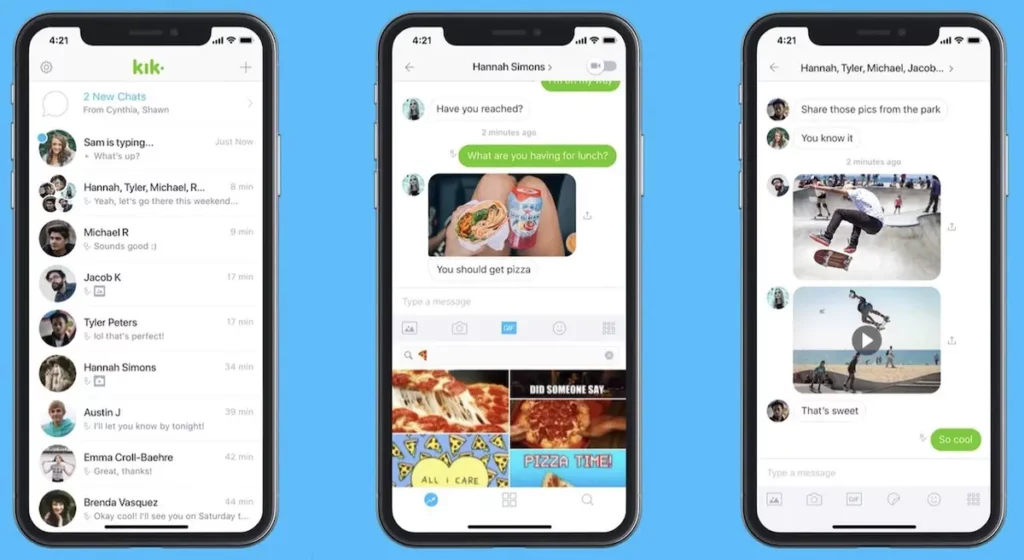
Kik Messenger is not that famous. But it’s a great tool for messaging purposes without a phone number attached. You just need to register and create your account. It won’t ask for a phone number. It has improved with time and today it’s very stable. Install it for free on your mobile device and you can have access to video and audio calls with your privacy protected working worldwide in just a few clicks.
Element messaging apps with no phone number
Element was previously known as Riot. It’s a great competitor to Skype and Telegram, and it’s the chosen one for those who seek privacy and decentralized communication. You don’t need a phone number to run it. You can also use it with an anonymous account without sharing your e-mail. There are public servers and private ones, and you can create one on your own.
Element uses the Matrix protocol to communicate with users from other platforms. It’s ideal for those who seek a real alternative without any link with a big company. You can chat, make audio and video calls, share files and create chat rooms. Element includes optional end to end encryption and it’s very easy to enable. It works in mobile phones and computers and the interface looks a little more technical but it’s still easy to grasp. A great free alternative with no adds.
The only downside is that you can only chat with people that have the same app. You need to focus on a group of friends or coworkers that use the same platform to start enjoying the advantages of no phone number chat.
Facebook Messenger
The Facebook messaging app is very popular nowadays. You can use it easily from almost any device and you won’t ever need a SIM card or SMS to link your account. The only requirement is a Facebook profile. One of the most positive aspects is that you can find your friends easily from your contact list in the social network platform,
Messaging apps without phone number: Instagram
The social network app for Instagram also allows for video and audio calls without the need of a SIM card. In the beginning, Instagram was a social network to share aesthetic photographs, but now it’s a full messaging app platform. You can use it for individual or group chats. And it’s also available for voice calls using Internet. You need to have an Instagram account and add your friends to contact them.
The phone icon starts an audio call and the camera a video call. You can start a conversation with your loved ones without a phone number in just a few clicks. One of the advantages of Instagram is that you can use different filters to make your calls more fun. Group calls allow for up to 8 people at the same time.
Houseparty
This is a platform for meetings up to 8 people at the same time. It’s very stable and reliable. You will rarely find problems with communications using it. The main goal of Houseparty is to connect via audio or videocall. It also has some games you can play while talking. It’s a fun and simple messaging app to be in touch with family and friends.
There’s an Android and iOS version and you only need an e-mail account to validate the registration. Share the link to each meeting and use the simple interface to enable sound and video depeding on your needs.
Zoom
Another of the popular messaging apps that won’t ask for a phone number to run. Zoom is one of the first options when you need a conference or virtual meeting. However, being among the most populars also mean that the servers can present issues more regularly. Zoom can handle up to 100 people meetings in a free account. You can install it on Android and iOS devices.
It is extremely easy to use. You just need to register and in a few minutes you can be creating a new meeting room. The calls are real time from Zoom user to Zoom user, or you can schedule them and share the contact link. Joining a call is extremely fast: just introduce the meeting number and the password, or click on the link.
Jitsi Meet
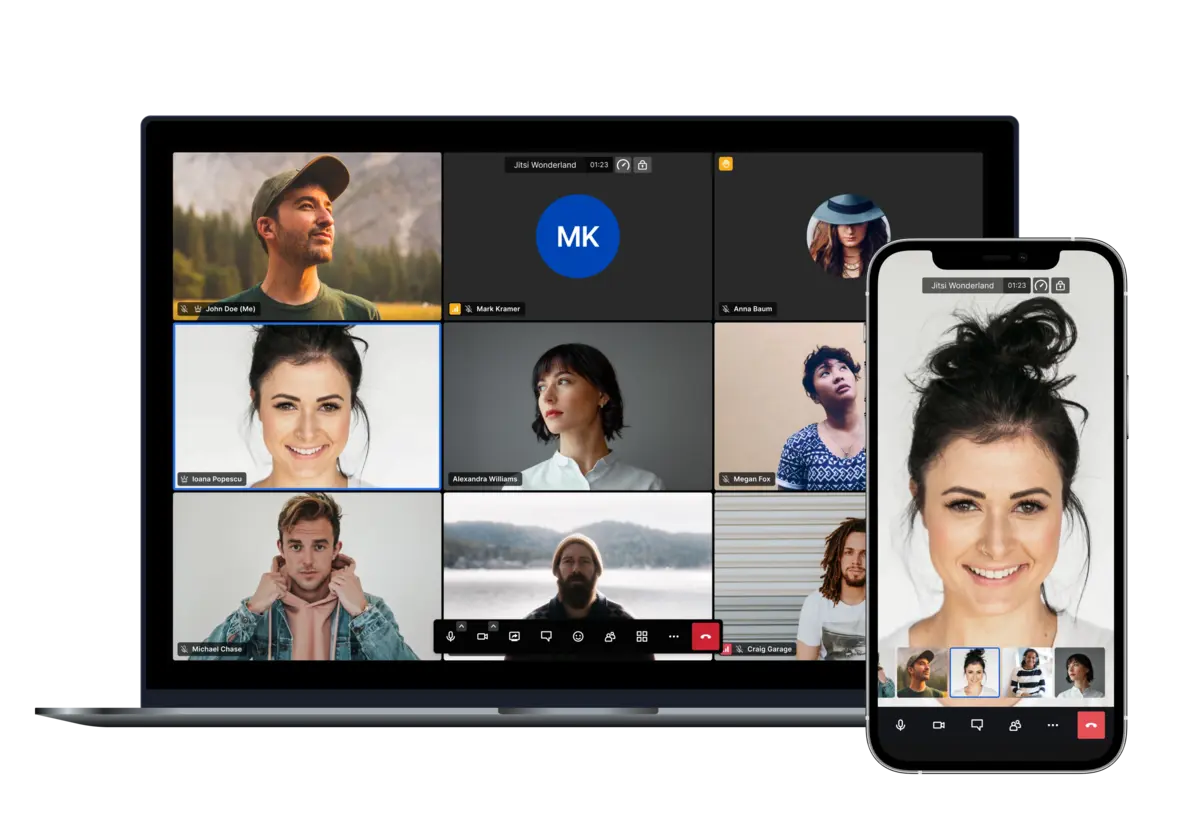
Another Zoom alternative with several users around the world is Jitsi Meet. It’s very practical and complete in terms of features. You can access it fully without the need of creating an account or paying a subscription. It allows for private videoconferences and chats.
Open the official website for Jitsi Meet and organize your videoconferences and then click on the GO button. The interface is very intuitive, you can manage microphones, camera, share screen and make your own presentations. It also allows for live streaming.
When you share the access to your meeting, you can input a password for more security. There’s also a Google Chrome extension you can make the most out of. It can integrate your Google Calendar and Office365 calendars to organizer your day.
Cisco Webex
Webex was bought by Cisco several years ago. From that moment onwards, the videoconference tool has been well received by the community of users. You can use the free plan of Cisco Webex or pay for a monthly subscription.
With the free version of Cisco Webex you can make use of the basic features to create your work meetings. Create your free account with an e-mail address and you can start checking the service from the web version. If it meets your expectations you can download the app and manage your meetings directly.
Using Cisco Webex private meeting rooms you can initiate a video call faster. There you can organizer your meetings and have video confereces with your contacts. Share screen, send files and register on Cisco Webex to start using the platform.
Talky
This is a very easy to use Zoom alternative, it’s specially useful for casual meetings or small work conferences. You can organize your video calls in a few minutes and without complications. Use the official website from Talky, name your meeting and you can start.
Before starting, check your audio and video settings and then contact your friends and companions. The interface is very intuitive and simple, you can share the link and meet with up to 6 people at the same time.
Signal
You can find Signal from the Signal Foundation on the Google Play Store. It’s a free communication app that works with the e-mail account of the contact you need to call. Exchange messages, files, audio and video calls directly with your e-mail account.
This is one of those messaging apps that won’t require phone number but it’s extremely easy to configure. You just need an Internet connection and your e-mail account registration. It’s a good alternative to those who seek privacy and security but keeping the phone number anonymous. Signal includes versions for Windows, Android, iOS and several other operating systems.

Session
Another app with a lot of users nowadays becauses of security and anonymity is Session. It’s pretty new but it’s on the top of the list because you can talk about delicate subjects without any leak. It’s available for iOS, Linux, Windows and MacOS devices.
Using Session you can have end to end encryption and a decentralized blockchain based net for broadcasting. It’s also compatible with sharing multimedia messages, voice, video and files. The chats can be public or private in a similar way to WhatsApp but without revealing your phone number identity.
Social network and messaging apps without phone number
You can use social networks apps such as Snapchat, Instagram or Twitter (X) to contact people without phone number. Most of them don’t ask for a SIM card or phone number to make phone calls or video calls. The downside is that these apps usually don’t have the best end to end encryption. The main advantage is that they only require e-mail or account log in and you won’t have to use a phone number to register and keep in touch with your favorite contacts.
Use WhatsApp without a phone number
Maybe you are looking for the alternative of using WhatsApp without a SIM card or phone number registered. You can use a landline number to have 2 accounts simoultaneously for example. It’s a good alternative to have 2 numbers on one WhatsApp interface.
Download WhatsApp in your mobile phone or tablet and write a landline number in the phone number section. You have to answer a call to validate the number and a robot voice will dictate you the log in code. It’s practical and you won’t have to introduce the landline number anymore as it won’t be required unless you erase the app.
Video call using WiFi and fixing the main issues
It’s possible that you face some issues when trying to make an audio or video call while connected to a WiFi network. The app you are using may not connect or the sound or video quality may be low. There are several issues that you can try to fix before using WiFi for audio and video calls. The following list includes the most common connection issues and possible solutions to make video calls with WiFi without problems.
Check your Internet connection
Audio calls do not consume too much bandwidth in comparison with video calls. It’s easier to establish communication by using audio calls. But if you require for making a video call or conference, you need to make sure the bandwidth is enough. When you introduce more members to the meeting, the bandwidth consumptions gets higher.
If the WiFi network connection gets saturated because of too many users at the same time, you will experience low quality calls. Before discarding any other issue, check out that the router is working properly. If you still experience low quality, it may be because too many data is being shared at the same time.
Revise download and upload speed
Messagging apps that don’t use phone number usually make voice and video calls using Internet. You can revise the download and upload speed to make sure your network supports a meeting app.
First make sure you are correctly connected to WiFi. Visit a website in order to check it loads properly. Then you can also try a streaming platform like Netflix or YouTube to make sure high loads can be handled fine. If the grey bar goes up constantly and fast, then your Internet service is working correctly and you can make video calls without problems. These examples are not very technical, but you can follow them even if you don’t have advanced knowledge. The download and upload speed should be of 15 MB at least. Another aspect to check is the latency. If it’s below 30ms you’re in acceptable values. As the number is lower, the communication will work better.
WiFi coverage
In case your Internet response is still not enough, you can use tools to analyze the WiFi status. For example, there is Wi-Fi Analyzer that tells you the status of your network. You can easily see if you’re using a saturated WiFi channel.
It’s also important to check for WiFi coverage. As you get far from the router, the signal gets weaker. You can improve power your WiFi signal by using a repeater, access points or a WiFi mesh.
After checking WiFi speed and saturation, if the problem persists you can check using mobile data network. This can determine if your WiFi connection is having some issues.
Restart the router
Try turning off and then restarting your router. Sometimes these devices fail and with a restart you can fix any issue. If you have a simple model, like the ones your provider may give you, it’s normal that using the restart trick you will solve almost any issue.
Remember trying the use of mobile data to discard any issue with the router. If using mobile data you can make audio and video calls, then you are experiencing issues with your WiFi or Internet service.
What to do if it keeps failing?
If you have tried all the above solutions and the connection is still not working, you may have to check the app. Messaging apps without phone number are not that many, but sometimes the servers are failing or you may experience a problem with your device.
If too many users connect at once the system may not work, the app gets overload and you experience latency issues and problems connecting. Although the messaging apps are now more popular, they also face inconvenient because of the community of users.
Skype doesn’t work and some possible solutions
If you are using Skype messaging app and you can make it work properly, the following steps may help you. Any time you see a low quality audio or video in your Skype chat or if you aren’t able to connect, try these.
Revise the Internet connection
First of all check your Internet connection. Your speed and latency should be between the correct levels. It’s the key for a good video call service. Remember to use WiFi repeaters or a mesh system in case you need to expand the coverage from your router. An excellent idea is to connect via wire because it’s more stable and fast.
Avoid unofficial apps
Some versions of the apps include new features or enhancements that are not official. If you are experiencing problems running your messaging app, it may be due to unofficial apps. The best advice is to download Skype and any other app from the official website in case you can’t run a video or audio call properly.
Update your apps and system
Having your operating system updated is essential to run apps without problems. Check that you are using the latest Skype version and the newest operating system before changing your messaging app.
Look for malware or virus infection
If your mobile phone or computer is affected by malware, the messaging apps may start failing. Use an antivirus and security programs such as Bitdefender, Windows Defender or Kaspersky to eliminate any threat to your device.
Messaging apps with no phone number, VPN and firewall problems
Another common cause for connection problems with Skype and similar apps is the firewall or VPN configuration. A VPN encrypts the connection and every file we send or receive passes through a tunnel. The most popular services for VPN are ExpressVPN, NordVPN and ProtonVPN. These programs tend to generate issues when you are trying to make a video or audio call.
When using a firewall you can also experience connectivity issues. It may interfere with the communication between devices. So it’s important to revise the settings of these apps before blaming it to the router or Internet provider.
Most free VPNs won’t allow you to make a decent video or audio call. It’s better to close the VPN function when calling and then restart it again.
Which messaging app is the best?
The answer to this question is very personal. There are several features and options in a messaging app without phone number before choosing your ideal one. Make sure the service it provides meets your security and estability requirements. Most of them have free versions so you can choose different ones and use them for work, personal conversations and more
Messaging options
Verify that the app you choose gives you what you need. Sending files, making video or audiocalls and providing video conference or private chat rooms are some of the most common features to look for.
Privacy and security
The main objective of messaging apps is to provide a good service to chat with family, friends or co-workers. Make sure the app you use is secury and keeps your privacy every moment.
Authentication and user verification
Some of the messaging apps without phone number include verification and authentification steps. It’s a good way to prvent any fraudulent attempt from hackers.
Have your contacts on the app
A messaging app doesn’t work correctly if your contacts are not there. Select the one you want considering where your friends and families are. WhatsApp remains the most popular one because almost everyone uses it. But you can do the same with some of the apps in this list.
Multiplatform availability
The possibility of running the same messaging app in different devices is a great feature. You can also invite yur friends to use it on PC, Android or iOS depending on the alternatives available.
Additional features
Some messaging app platforms include other functionalities that you may find useful. For example, the possibility of creating chat groups, sending self-destructible messages or including emoticons and filters for a more fun conversation,
The choosing of one app above other will strictly depend on what you want and need. Remember that you are looking for a good platform to make video calls or audio calls in conference for your family or co-workers.
Cheapest no SIM option
If the app you are looking for requires a phone number mandatory, you will need to find a SIM card. And there are cheaper ways to do this when you are forced to have one. For example, companies like Symio offer a 1 Euro SIM card. You can buy all the phone numbers you want and it includes 200 MB for mobile data.