

Microsoft is expanding Copilot capabilities in Windows 11. The latest update of the Artificial Intelligence tool can access your system settings and help you customizing your user experience in a simpler way.
Download Copilot 1.25.95.161 for Windows 11 with the Windows Insider program and you can ask for assistance with different PC settings. Copilot will then answer you with direct links to the correspondent section of Windows settings. Then, you will only need to make the changes you deem necessary.
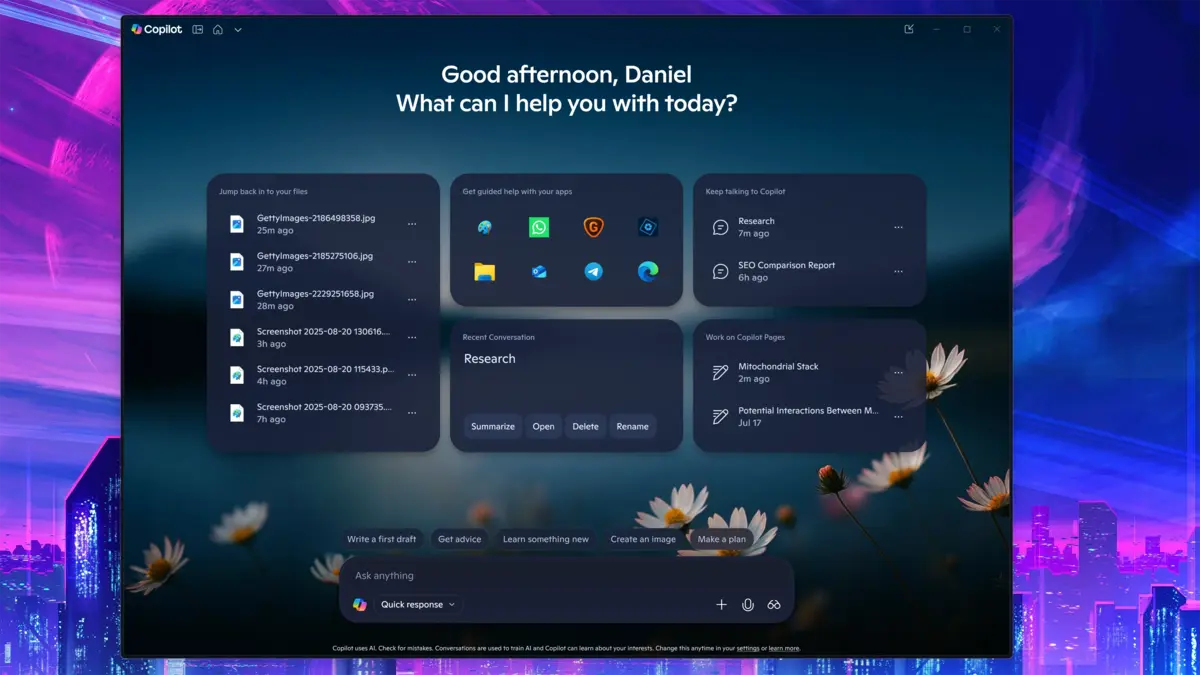
Microsoft official announcement on Copilot Windows 11 update
Copilot Artificial Intelligence assistant won’t make Windows 11 settings changes on its own. It will only indicate you where to go in order to customize the experience. That way the user is still in charge of making any interface or settings modification. It’s a good decision to keep the user in control in terms of security, transparency and privacy.
A Copilot user can ask Windows for a PC setting instruction and the AI assistant will send you to the correspondent menu for you to finish any tweaking. You can use casual language and ask Copilot to “make your screen easier to read” or “reduce distractions when working”. Then your AI assistant will take you to the correct settings menu in Windows for your goal.
However, in Copilot+ devices with Neuronal Processing Units (NPU) Windows 11 integrates an assistant for automatic configuration of certain parameters. It’s the future for Artificial Intelligence features in PC.
The new Windows 11 Copilot settings feature doesn’t replace direct user interaction. Though it represents a new step forwards into the Artificial Intelligence integration with the operating system environment. Microsoft strategy involving Copilot turns the AI into a central piece for Windows 11 in order to obtain a more intuitive and adaptive experience for each user.
Windows 11 Copilot AI features available
Right now, there are several AI features you can try with Windows 11 Copilot assistant. In this list you will find the most relevant ones and what they can do to help you in your daily activities.
Snap Layouts and Snap Groups
You can ask Copilot to organize your windows using different default layouts. The AI assistant will also suggest you certain apps to fill the gaps to optimize multitasking features.
Virtual desktops
Improve your productivity by creating separate virtual desktops for your different projects or tasks. That way you can optimize the screen usage and avoid distractions.
Click to Do feature
This AI tool allows you to interact with screen elements. You can pick a piece of text and select different actions such as copying, searching for related information or sending it to Copilot.
Phone Link
Allows for the safe, fast and secure connection of Android or iPhone devices to see notifications, send and receive messages or make phone calls directly from the computer.
Natural language interaction
The most important feature of Copilot in Windows system is the natural language interaction capability. The AI assistant will understand most of your prompts by using simple and natural language. It won’t require difficult grammar structures to understand and follow your indications.
Do you have any questions or problems related to the topic of the article? We want to help you.
Leave a comment with your problem or question. We read and respond to all comments, although sometimes it may take a while due to the volume we receive. Additionally, if your question inspires the writing of an article, we will notify you by email when we publish it.
*We moderate comments to avoid spam.
Thank you for enrich our community with your participation!